

information technology
2015 - 2025 • 10+ years
Over a decade at NetBrain, I designed user experiences spanning the company’s evolution from early Windows applications to its first web platforms and, most recently, AI-driven networking solutions. My role involved tackling complex challenges unique to network automation and visualization, where I collaborated closely with the CEO and development team. I am proud that my design contributions helped strengthen NetBrain’s market position, culminating in its acquisition by BlackStone for $750M in 2025.
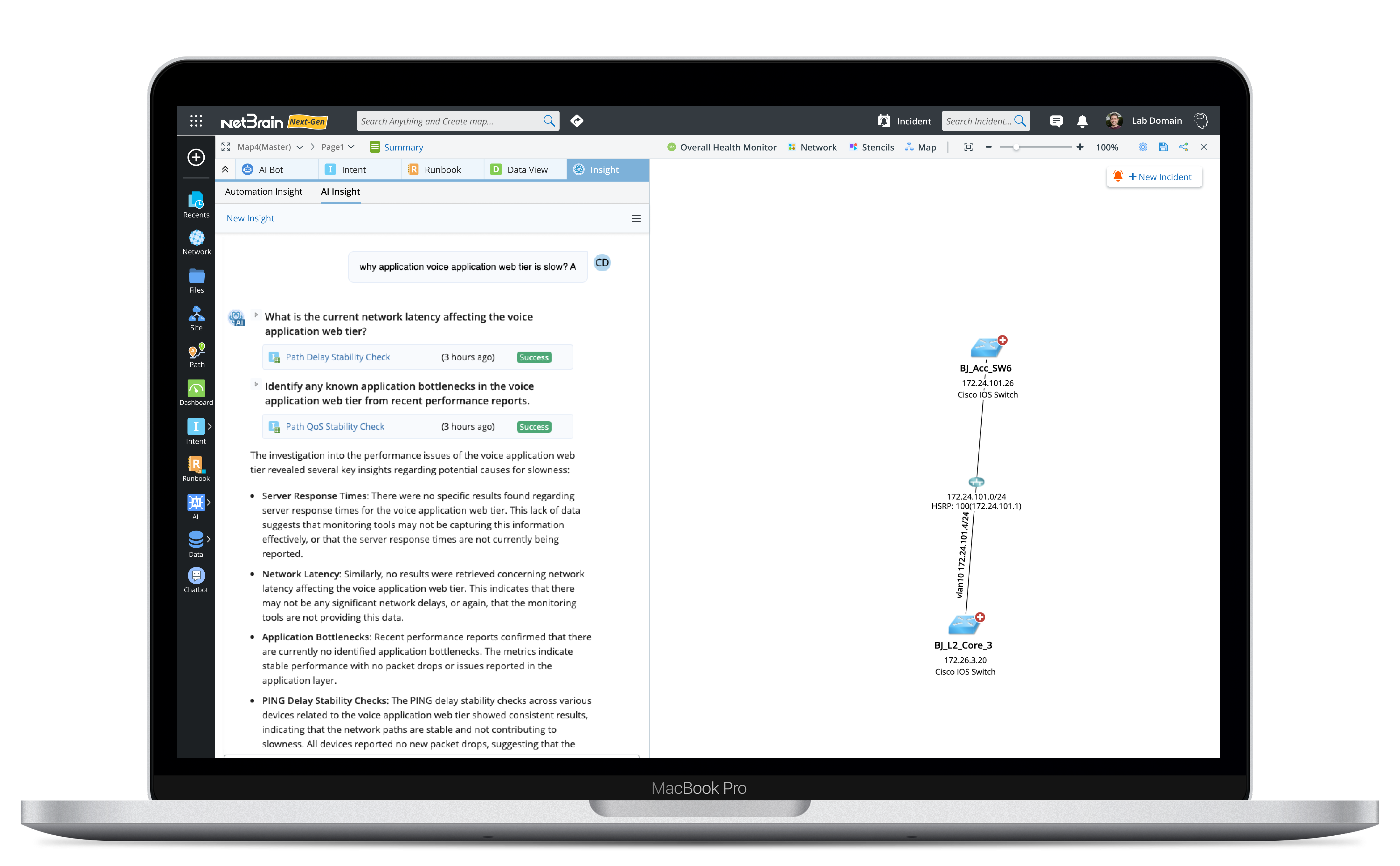
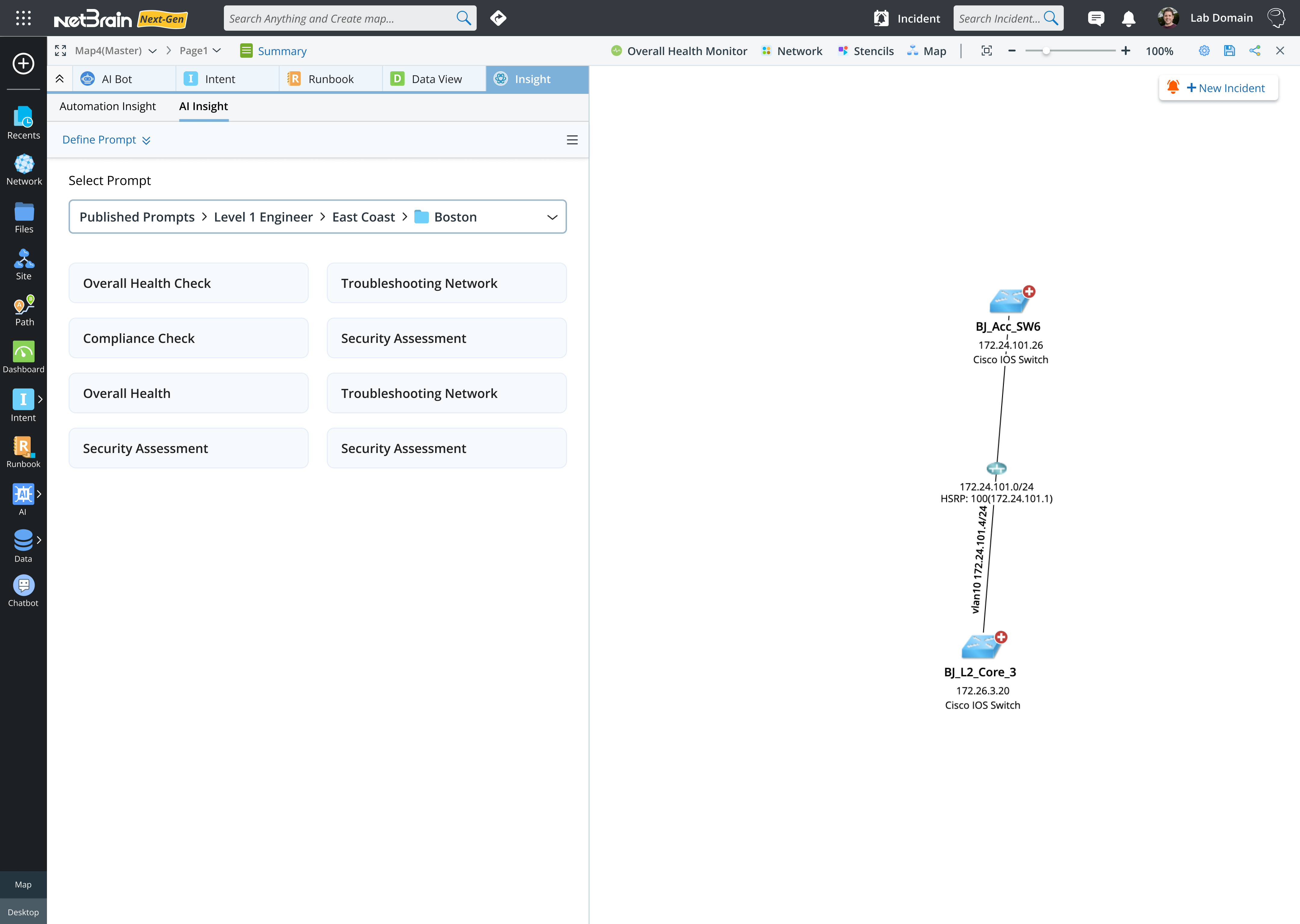
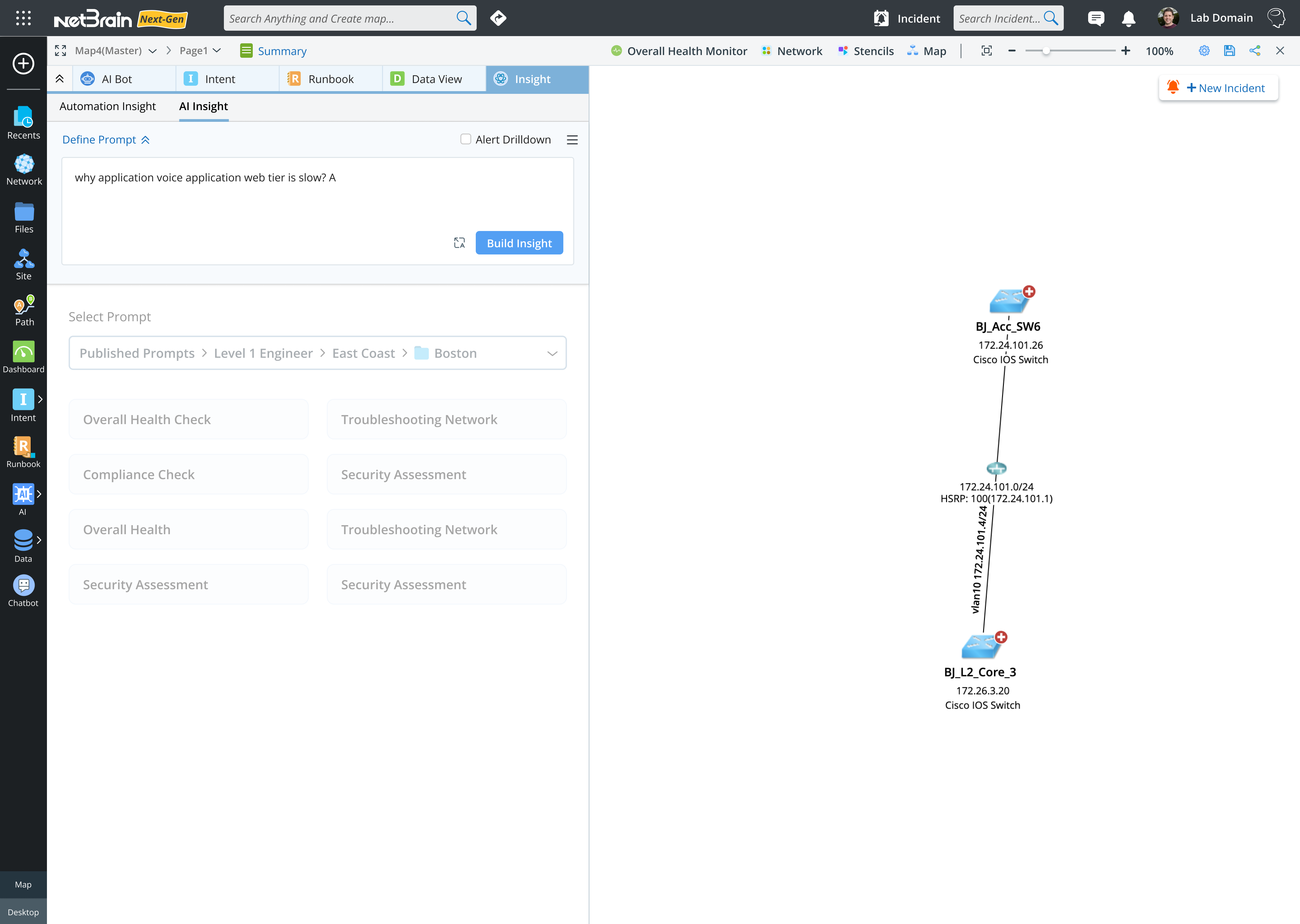
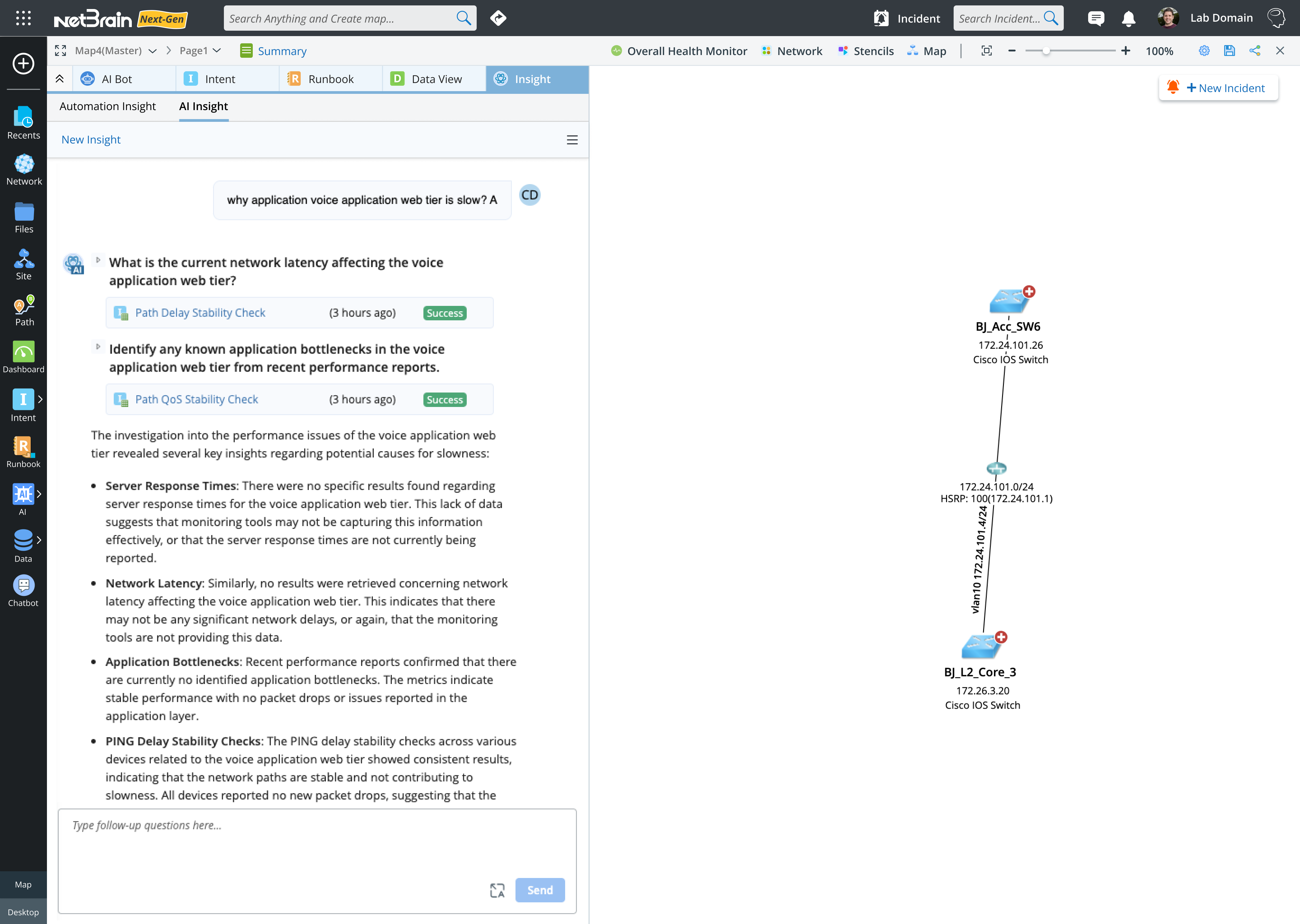
NetBrain AI Insight
Created NetBrain Insight, an AI-driven solution for proactive network diagnostics and automation. Designed Runbooks, Dashboards, Maps, and Incident Management tools that streamlined network operations and improved incident response across global enterprises.
Coming Soon
2025

NetBrain AI Insight
Mission
As part of TIAA’s major redesign, management wanted to enhance the customer experience of the desktop trading app, especially for less experienced senior customers.
Challenges
Similar to the mobile trading app, the desktop trading platform was powerful but difficult for less experienced senior customers to use. Many struggled to fill out the forms—especially when placing multiple orders, such as selling an investment and then using the funds to buy another.
My Contributions
To stay consistent with the mobile trading app, I redesigned the desktop app using a Q&A approach that guides users step by step through the process. It takes into account the investments they already hold and the actions they want to take, while also considering their investment objectives and risk tolerance.
Impact
The new desktop trading app was well received by customers. They found the step-by-step guidance extremely helpful and said it made their decisions easier along the way. Users were able to complete their tasks without any issues.
Select sell transaction
Users can choose either a Buy or Sell transaction.
Select investment to sell
After selecting a sell transaction, users can then choose which investment in their account they want to sell.
Add sell order
After entering the sell order details, the order is added. The app then shows users how much cash will be available and whether they are overweight in any asset allocation categories.
From there, users can choose to place the order immediately, buy another investment, or sell an additional holding.
From there, users can choose to place the order immediately, buy another investment, or sell an additional holding.
select investment to buy
Users can then select another investment to buy, enter the order details, and continue.
Place orders
After adding both the sell and buy orders, users can choose to place the orders.
Dashboard
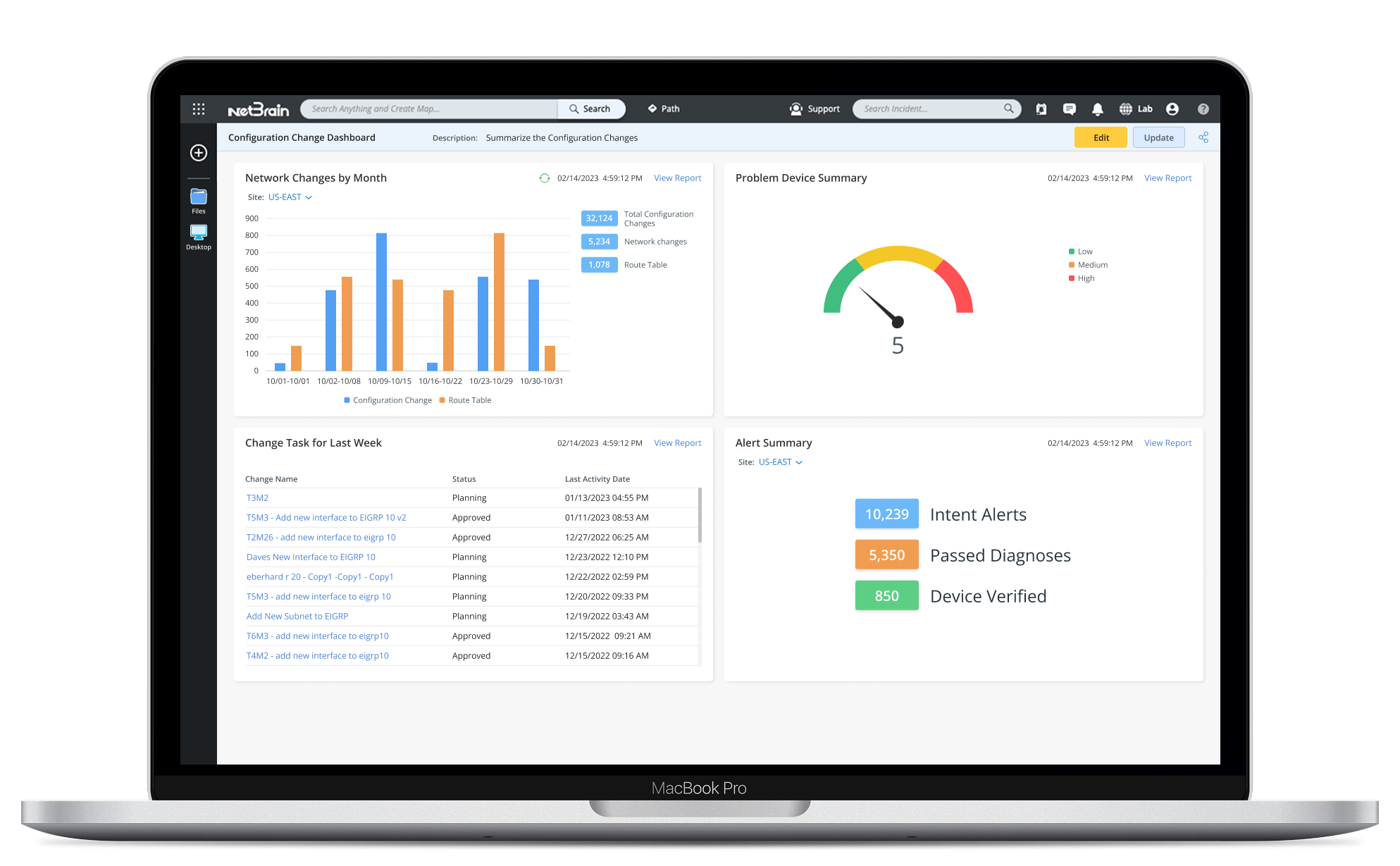
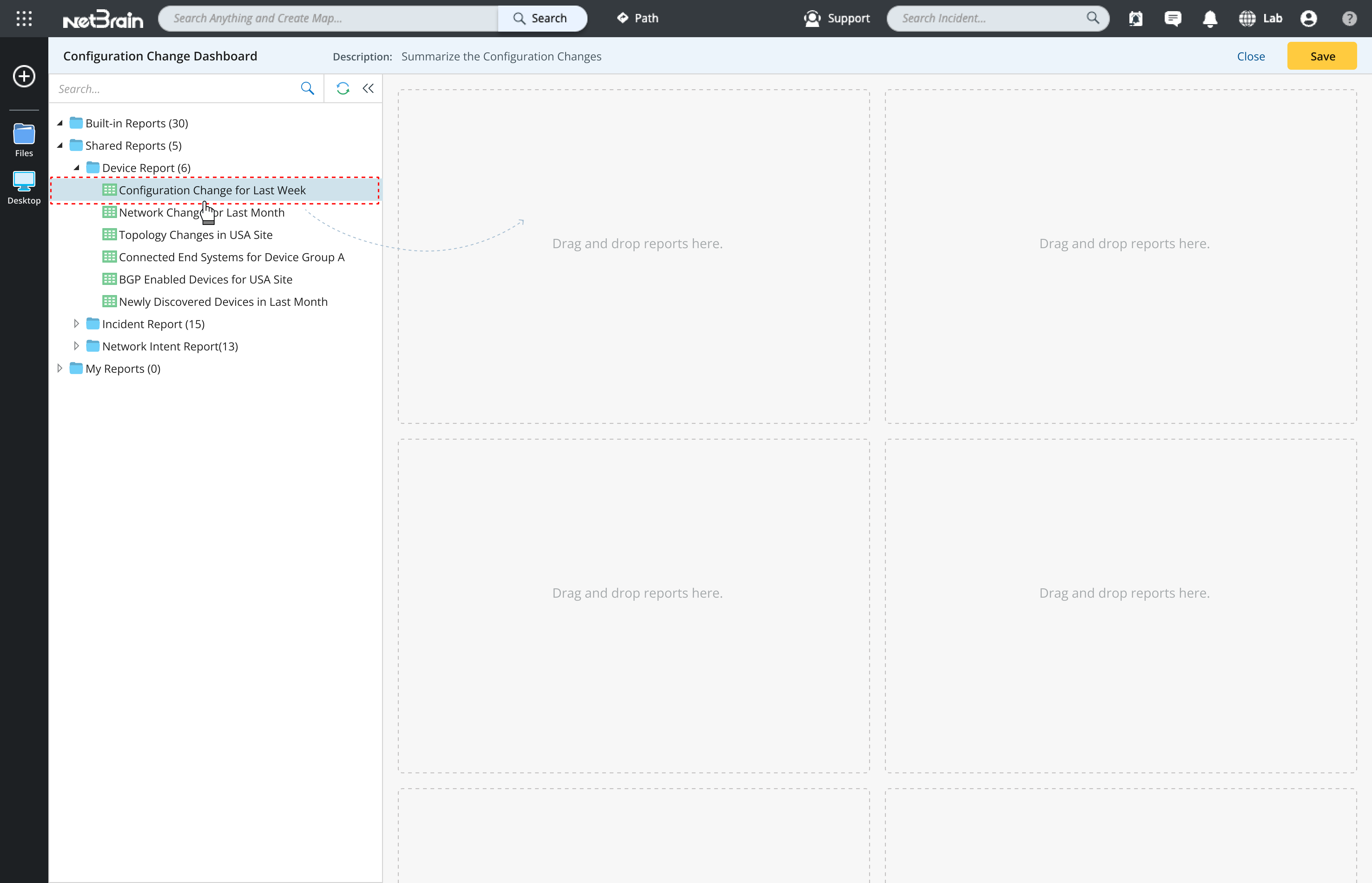
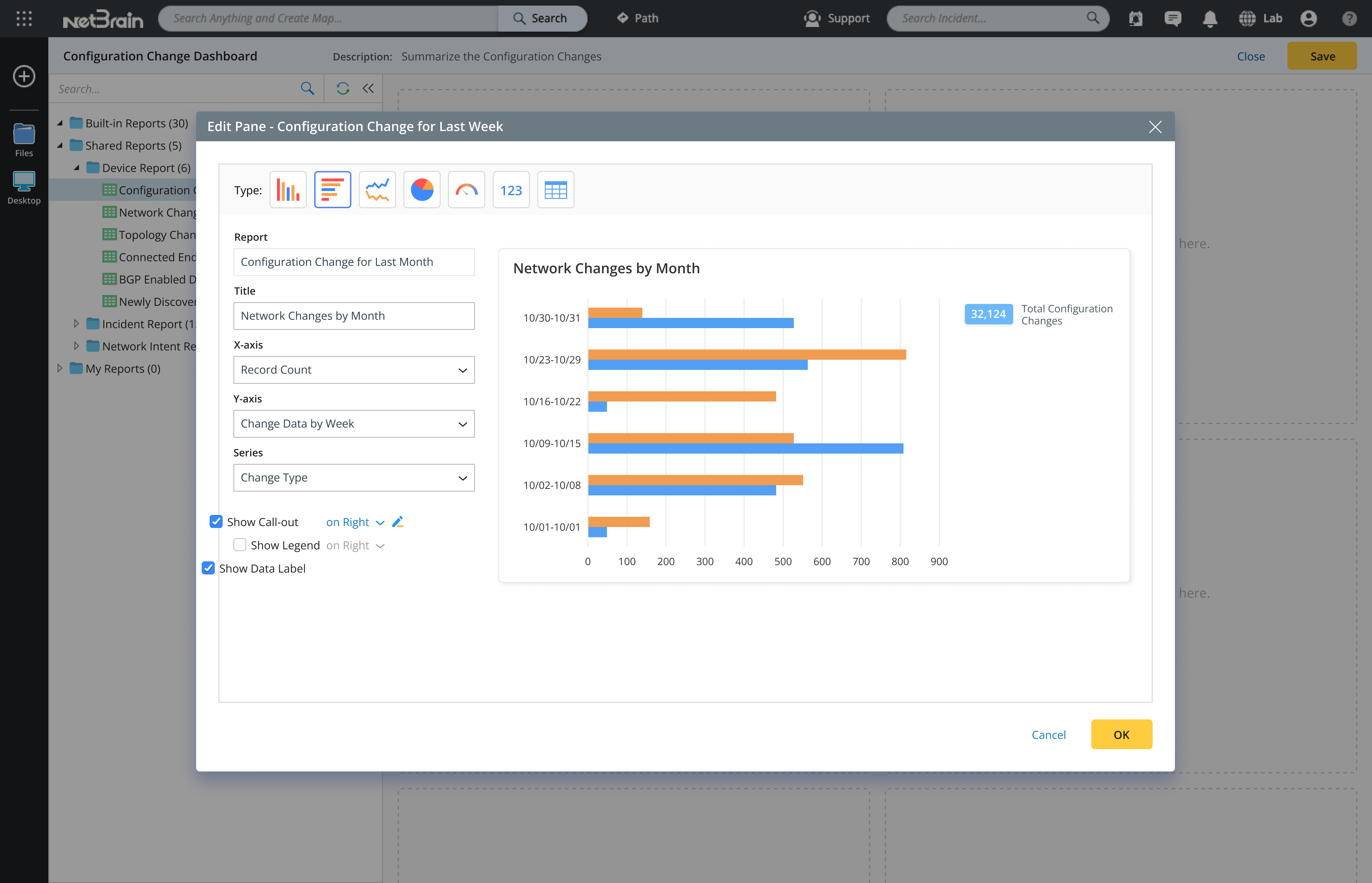
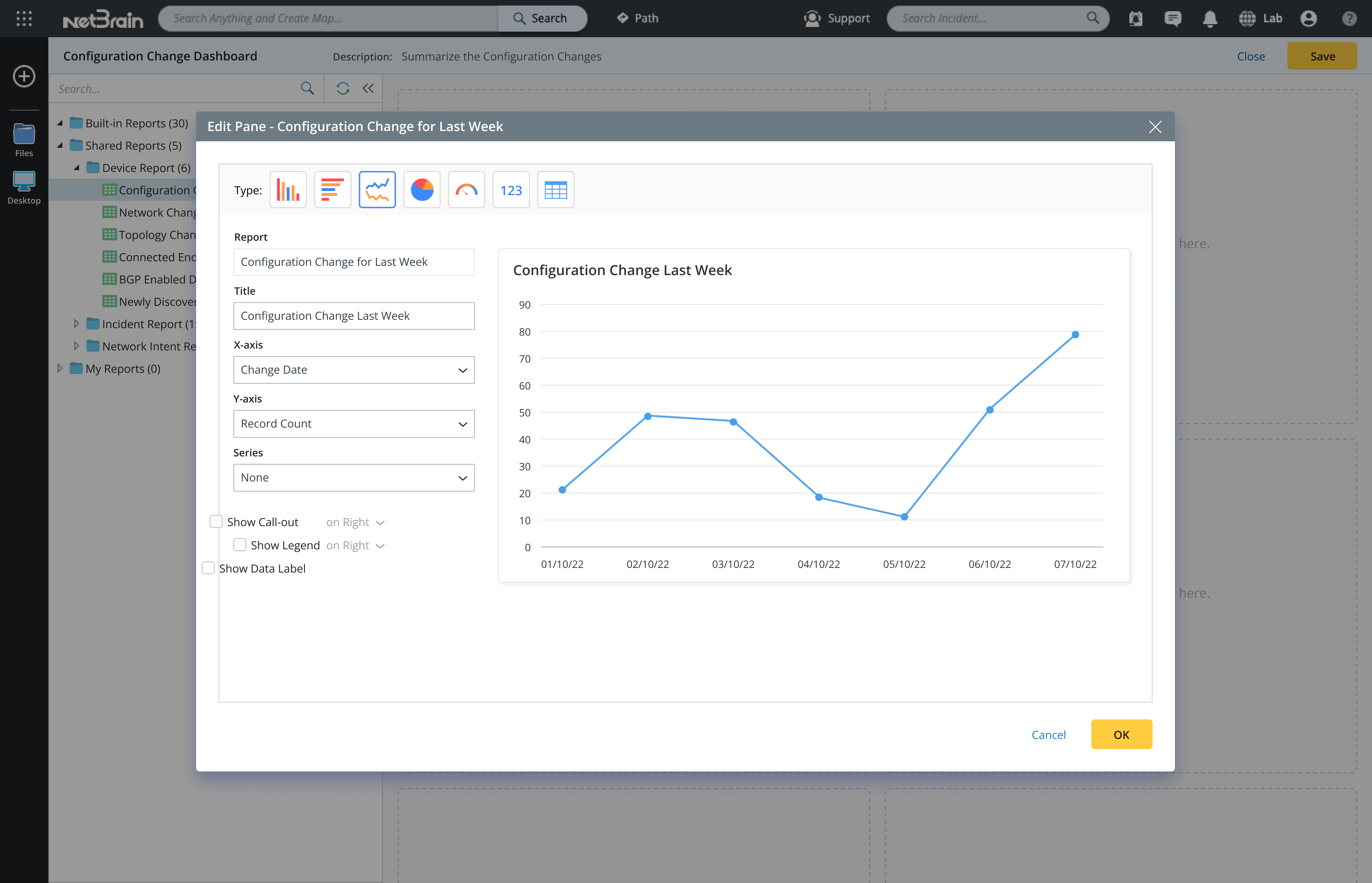
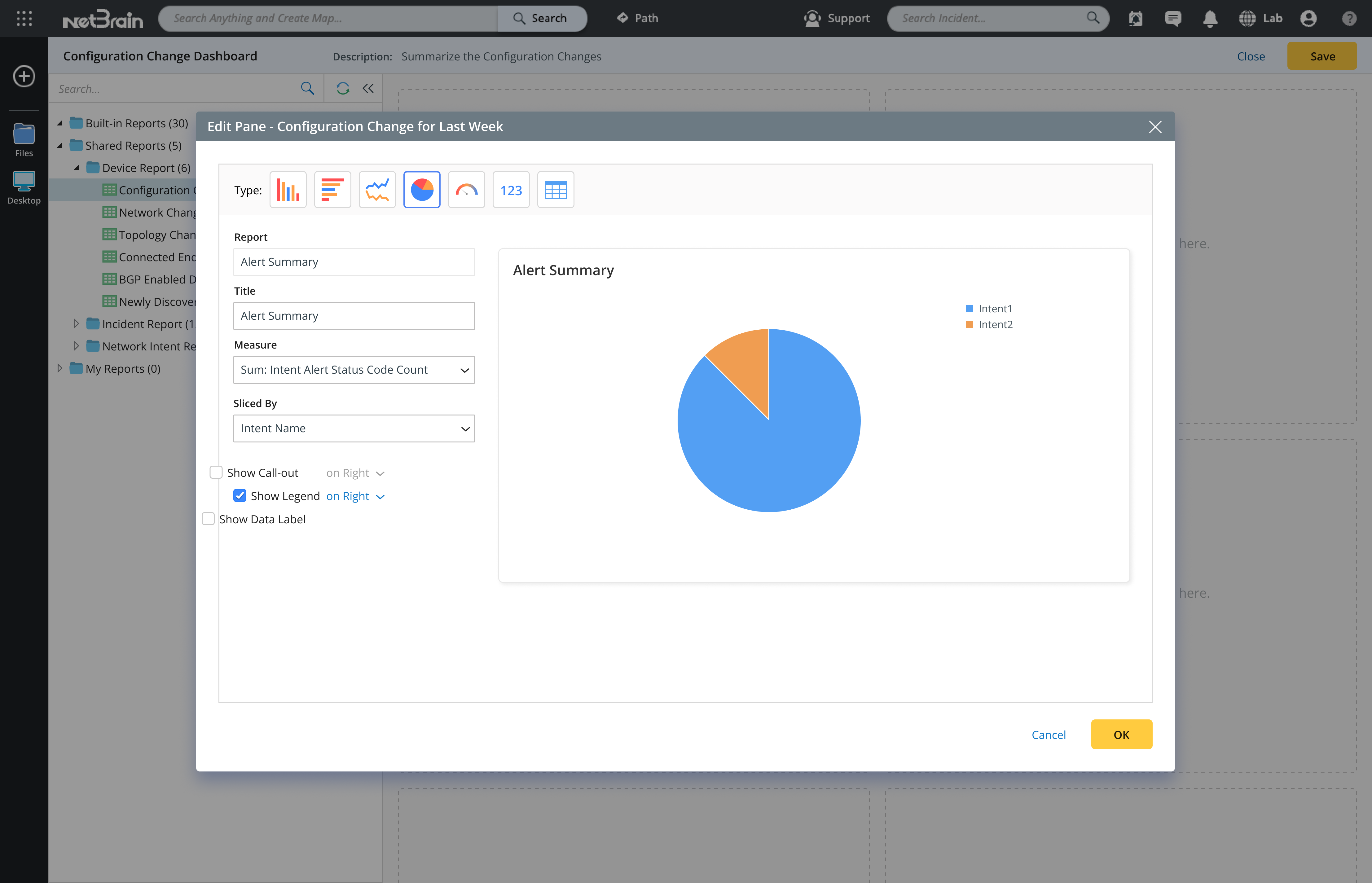
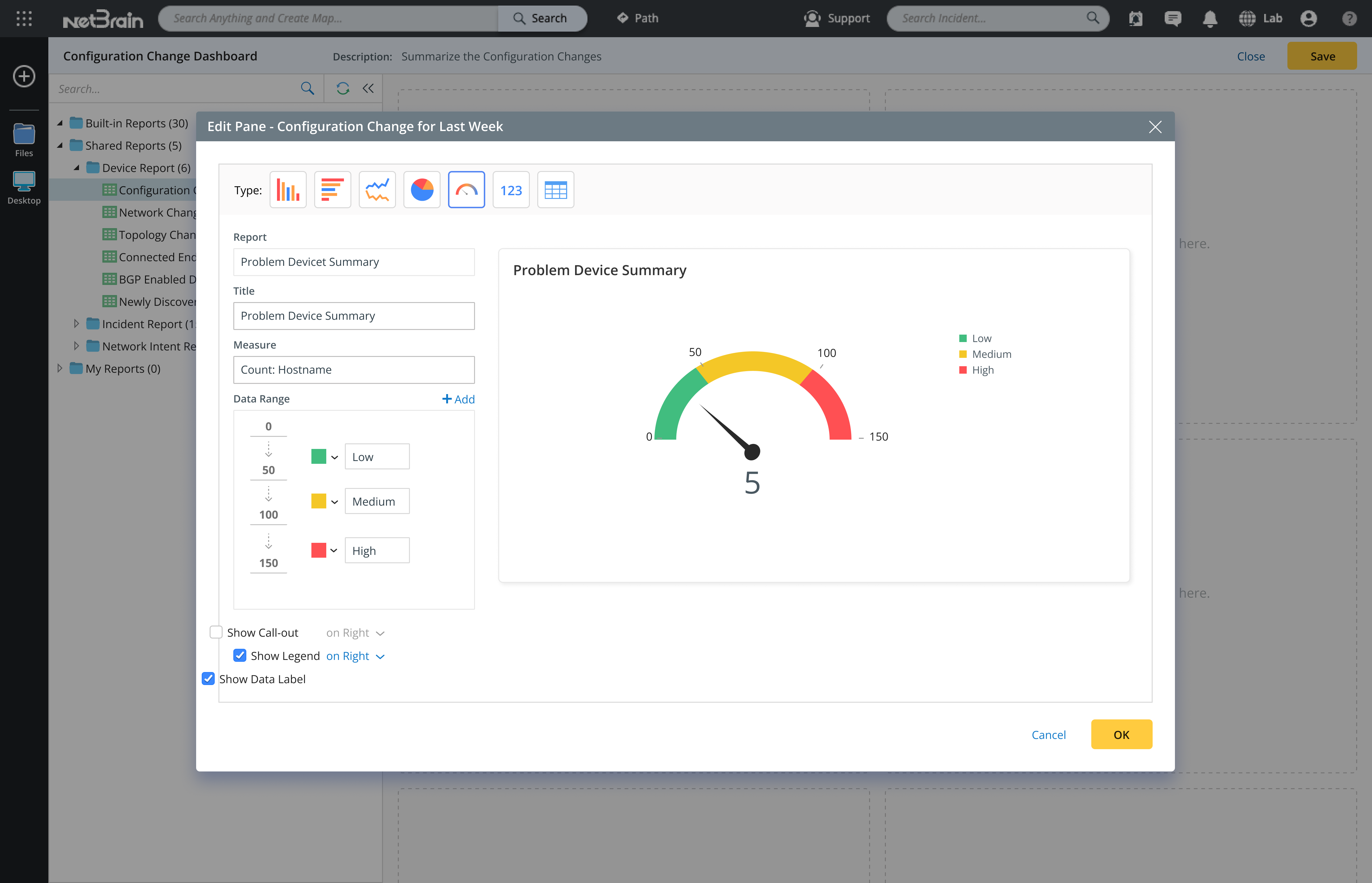
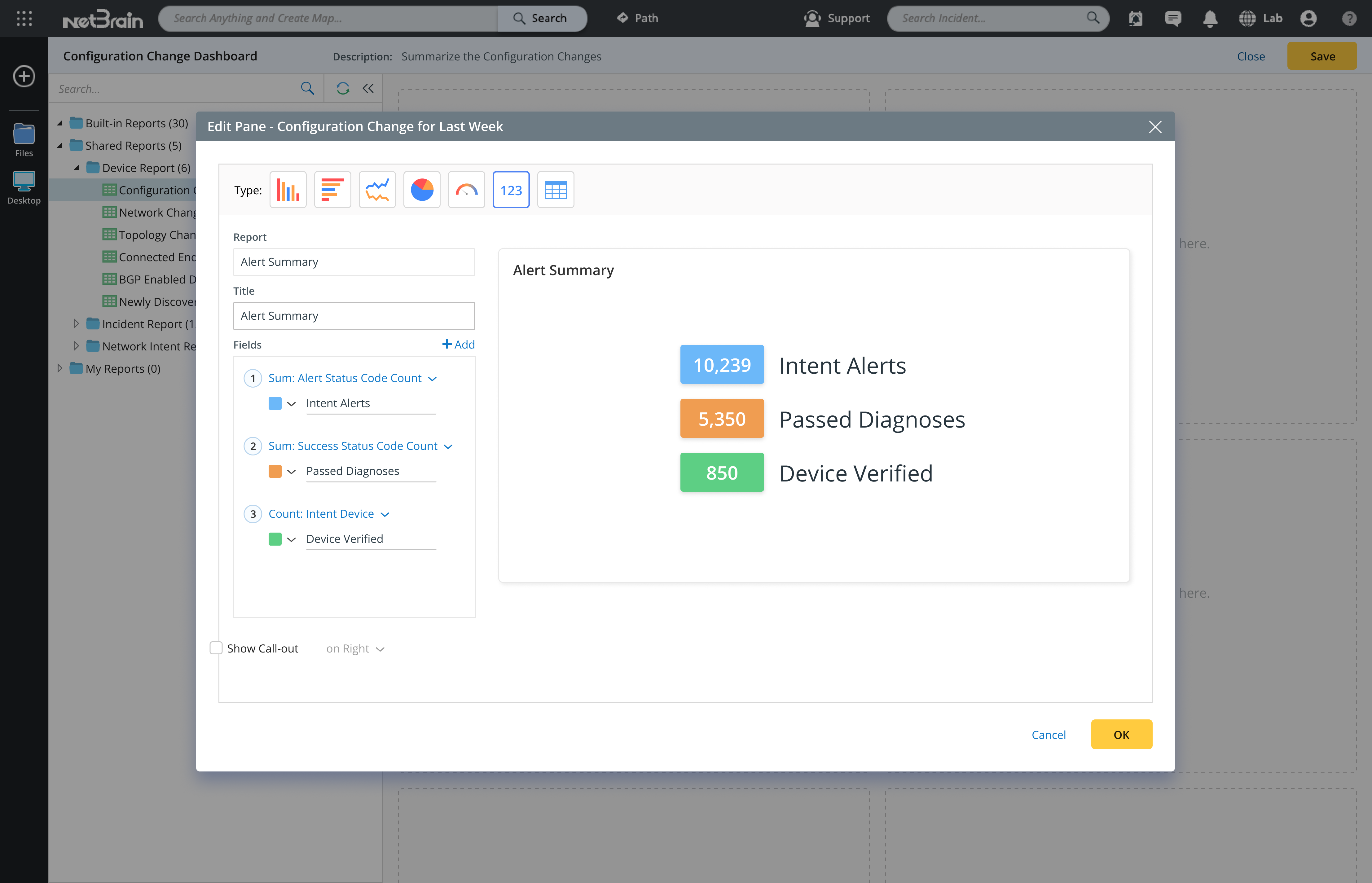
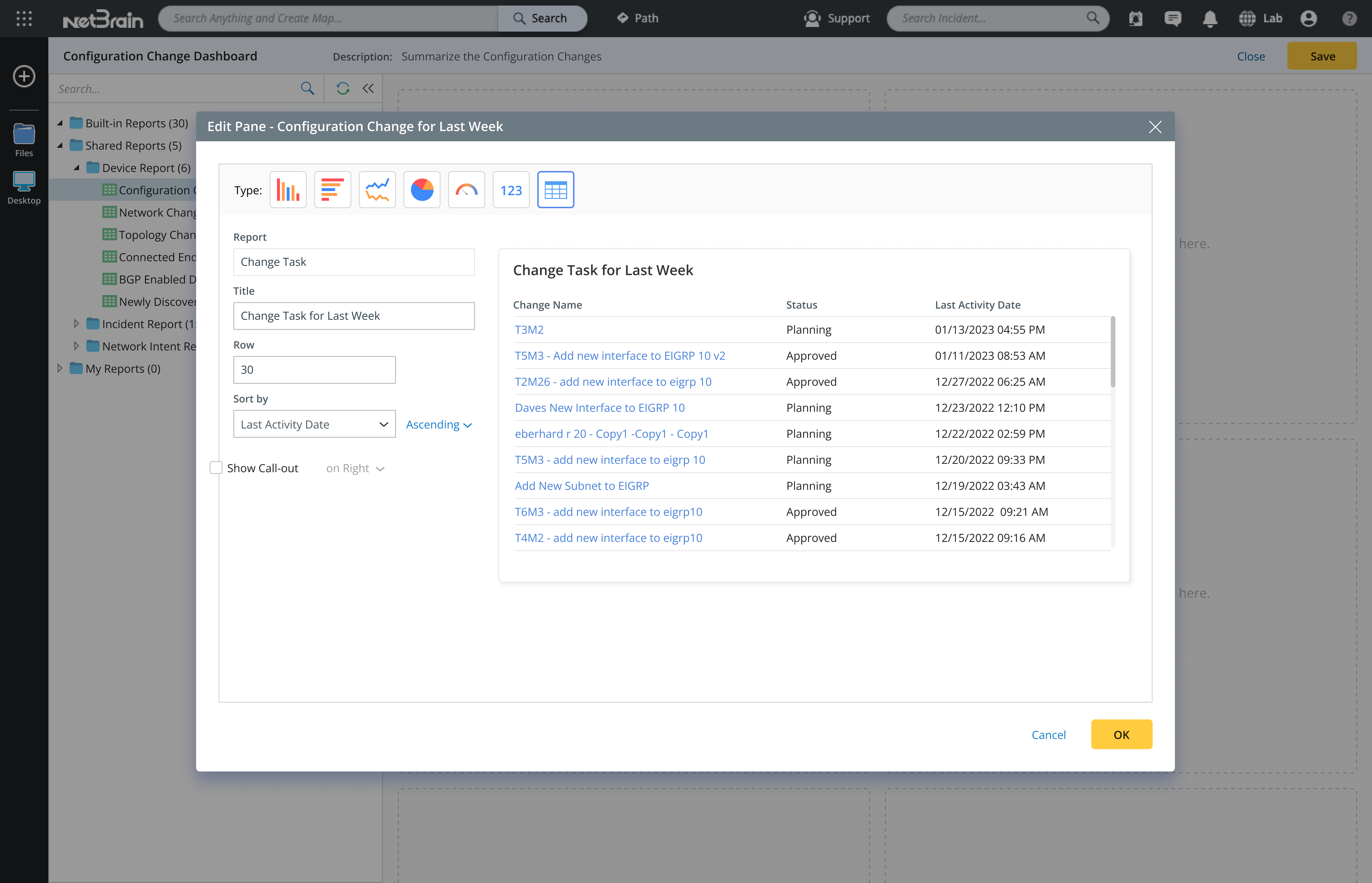
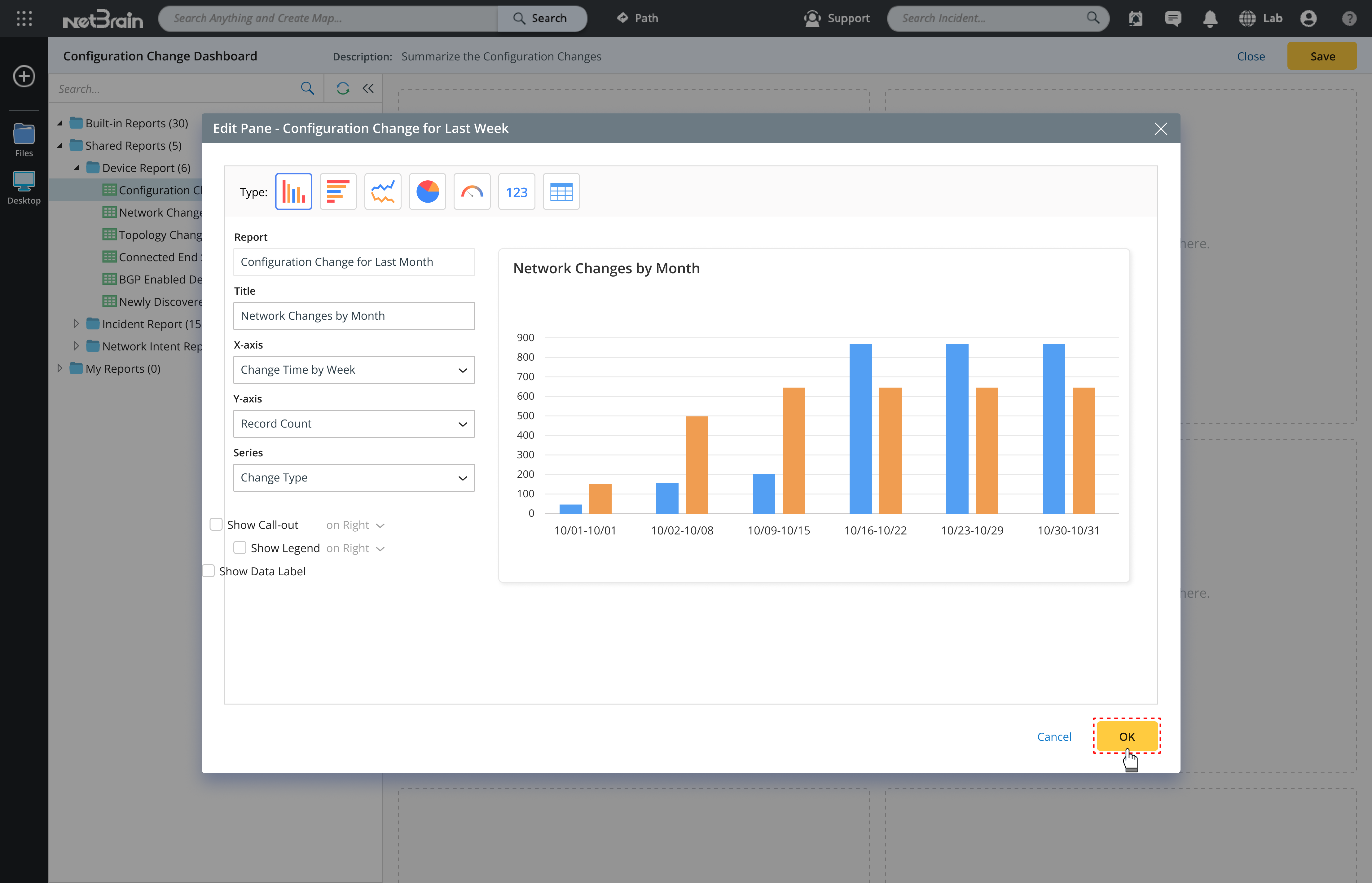
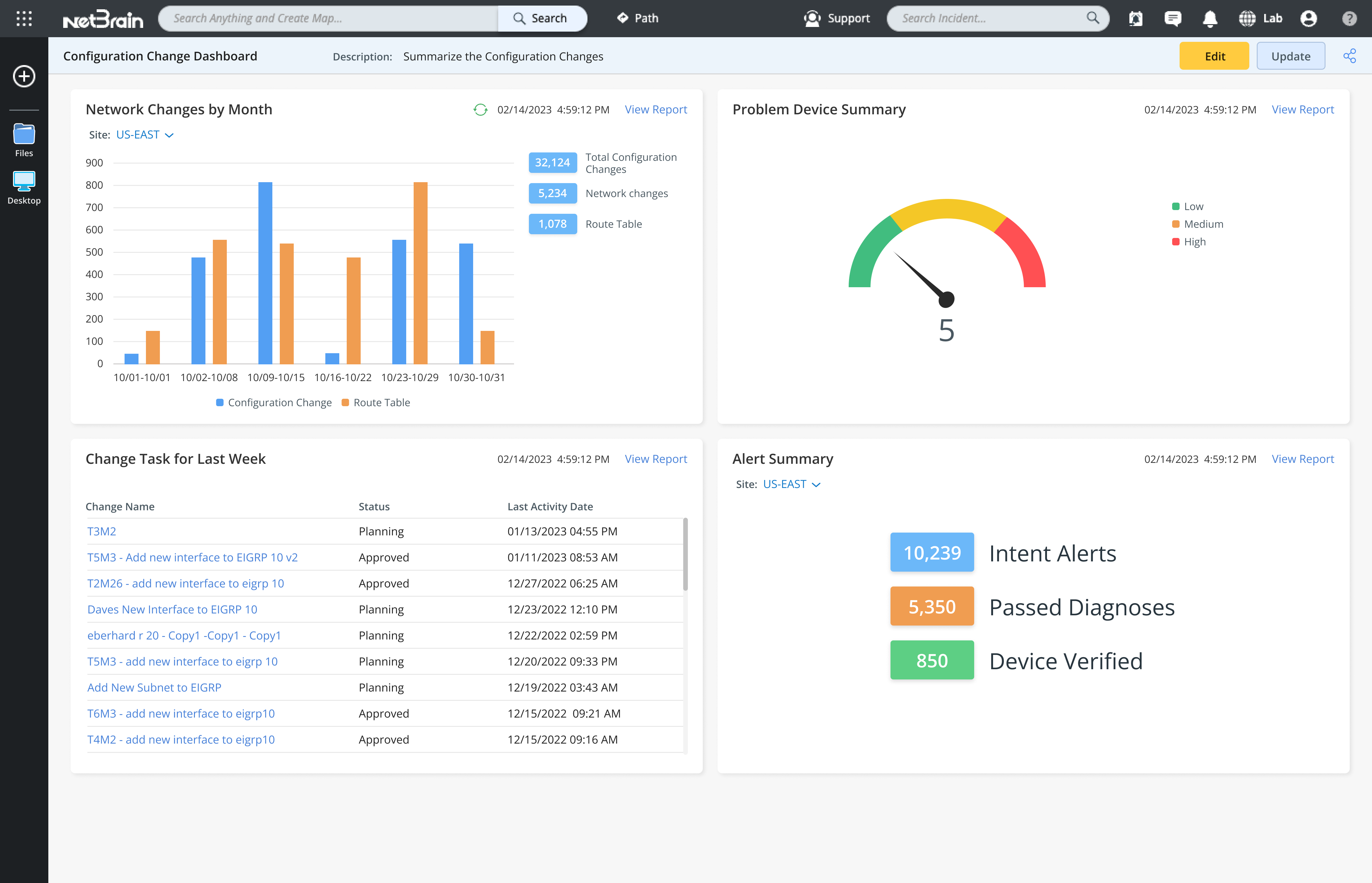
Developed the NetBrain Dashboard for Network Support Engineers to monitor network performance and troubleshoot issues, deployed across 2,500 enterprise companies worldwide.
Coming Soon
2023
Dashboard
Mission
As part of TIAA’s major redesign, management wanted to enhance the customer experience of the desktop trading app, especially for less experienced senior customers.
Challenges
Similar to the mobile trading app, the desktop trading platform was powerful but difficult for less experienced senior customers to use. Many struggled to fill out the forms—especially when placing multiple orders, such as selling an investment and then using the funds to buy another.
My Contributions
To stay consistent with the mobile trading app, I redesigned the desktop app using a Q&A approach that guides users step by step through the process. It takes into account the investments they already hold and the actions they want to take, while also considering their investment objectives and risk tolerance.
Impact
The new desktop trading app was well received by customers. They found the step-by-step guidance extremely helpful and said it made their decisions easier along the way. Users were able to complete their tasks without any issues.
Select sell transaction
Users can choose either a Buy or Sell transaction.
Select investment to sell
After selecting a sell transaction, users can then choose which investment in their account they want to sell.
Add sell order
After entering the sell order details, the order is added. The app then shows users how much cash will be available and whether they are overweight in any asset allocation categories.
From there, users can choose to place the order immediately, buy another investment, or sell an additional holding.
From there, users can choose to place the order immediately, buy another investment, or sell an additional holding.
select investment to buy
Users can then select another investment to buy, enter the order details, and continue.
Place orders
After adding both the sell and buy orders, users can choose to place the orders.
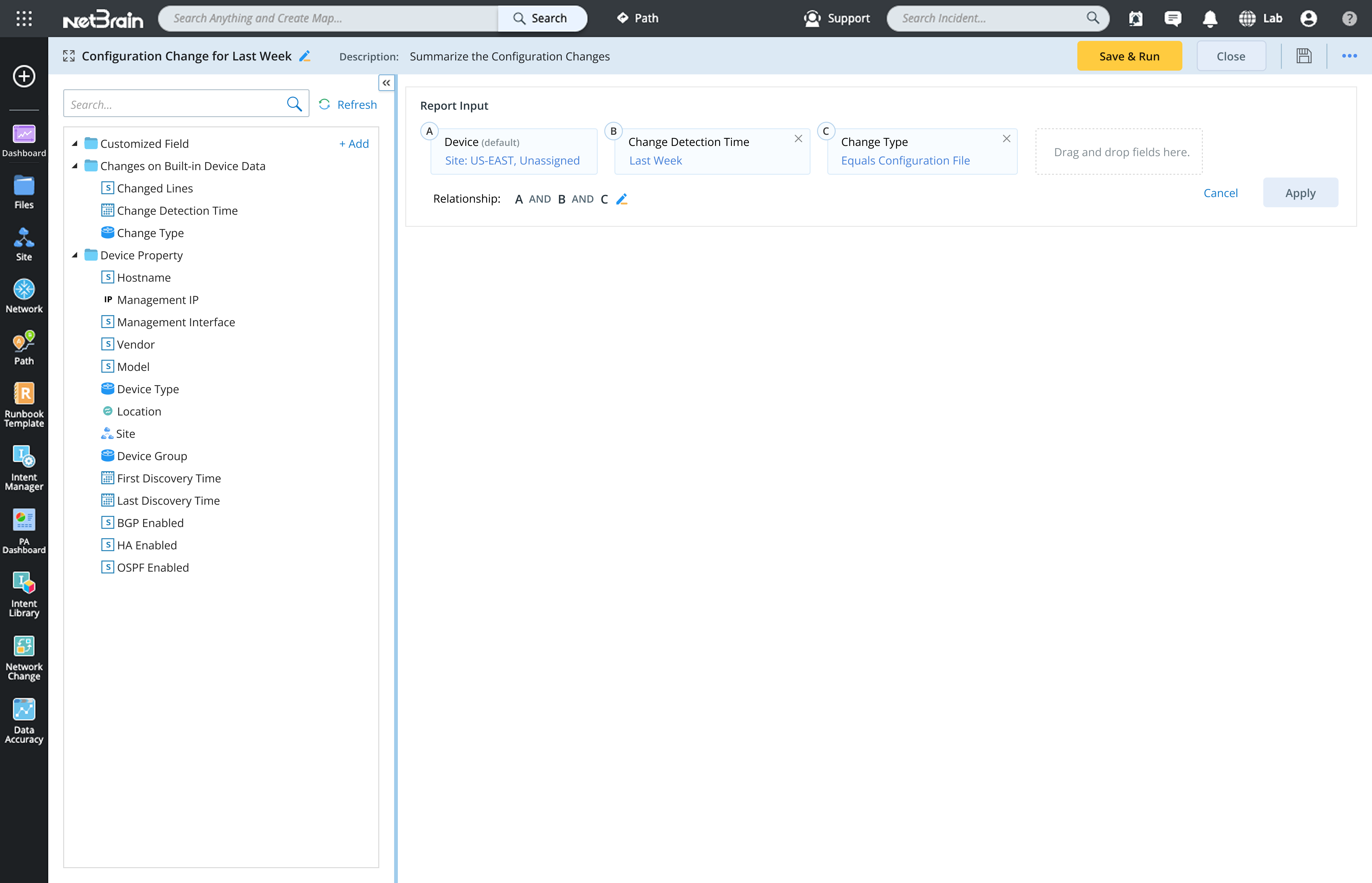
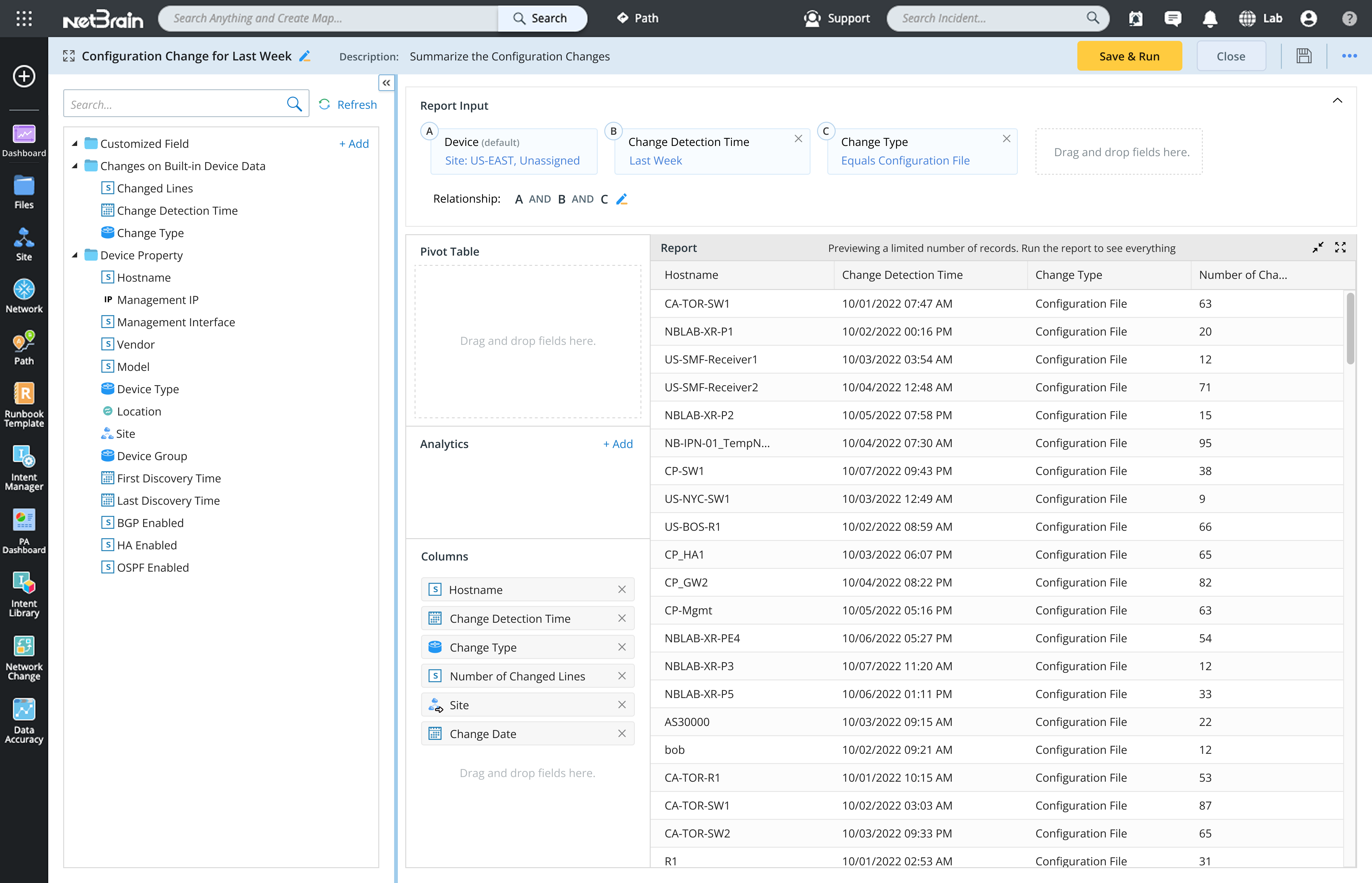
Reports
2022
Coming Soon
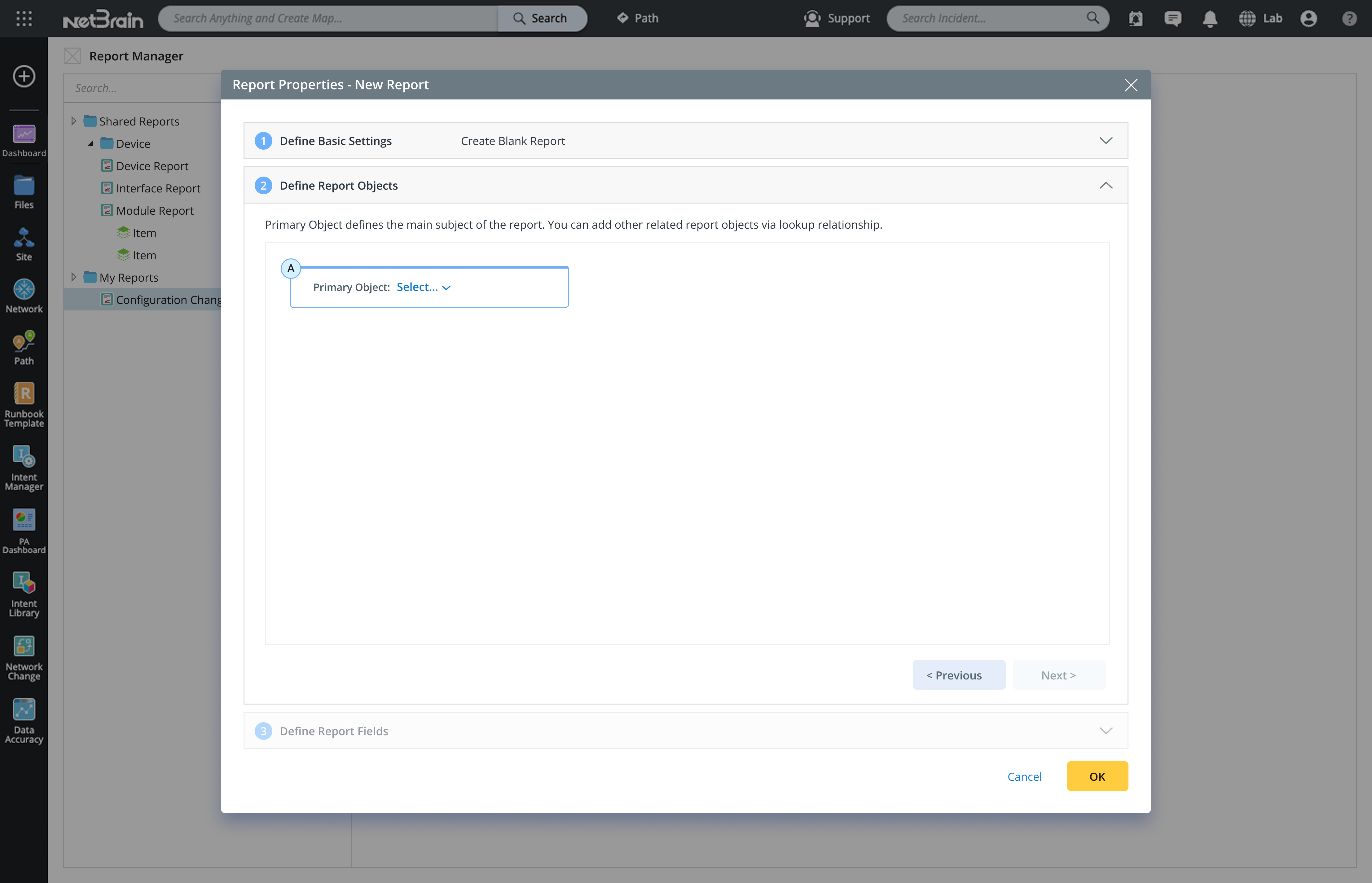
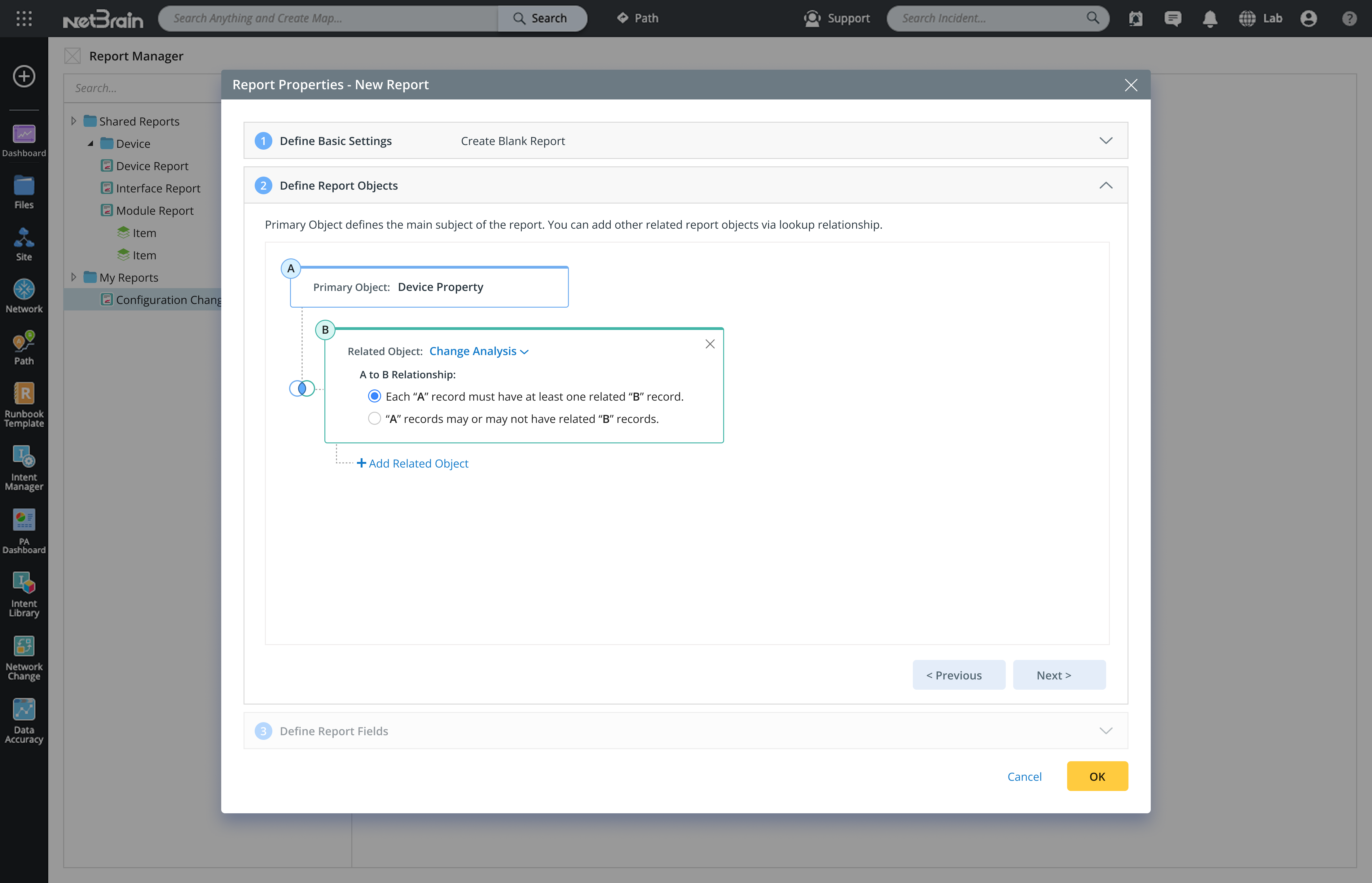
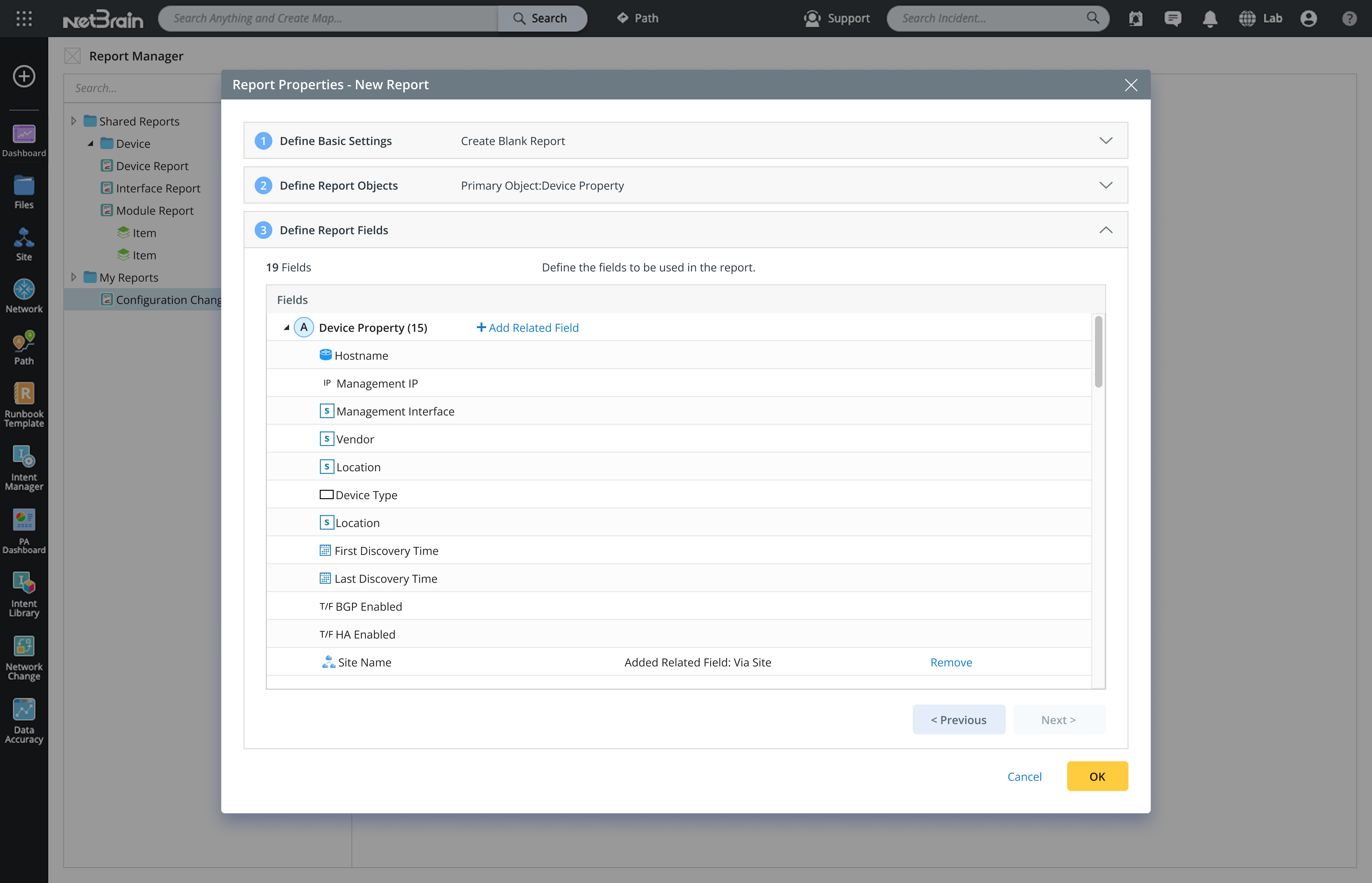
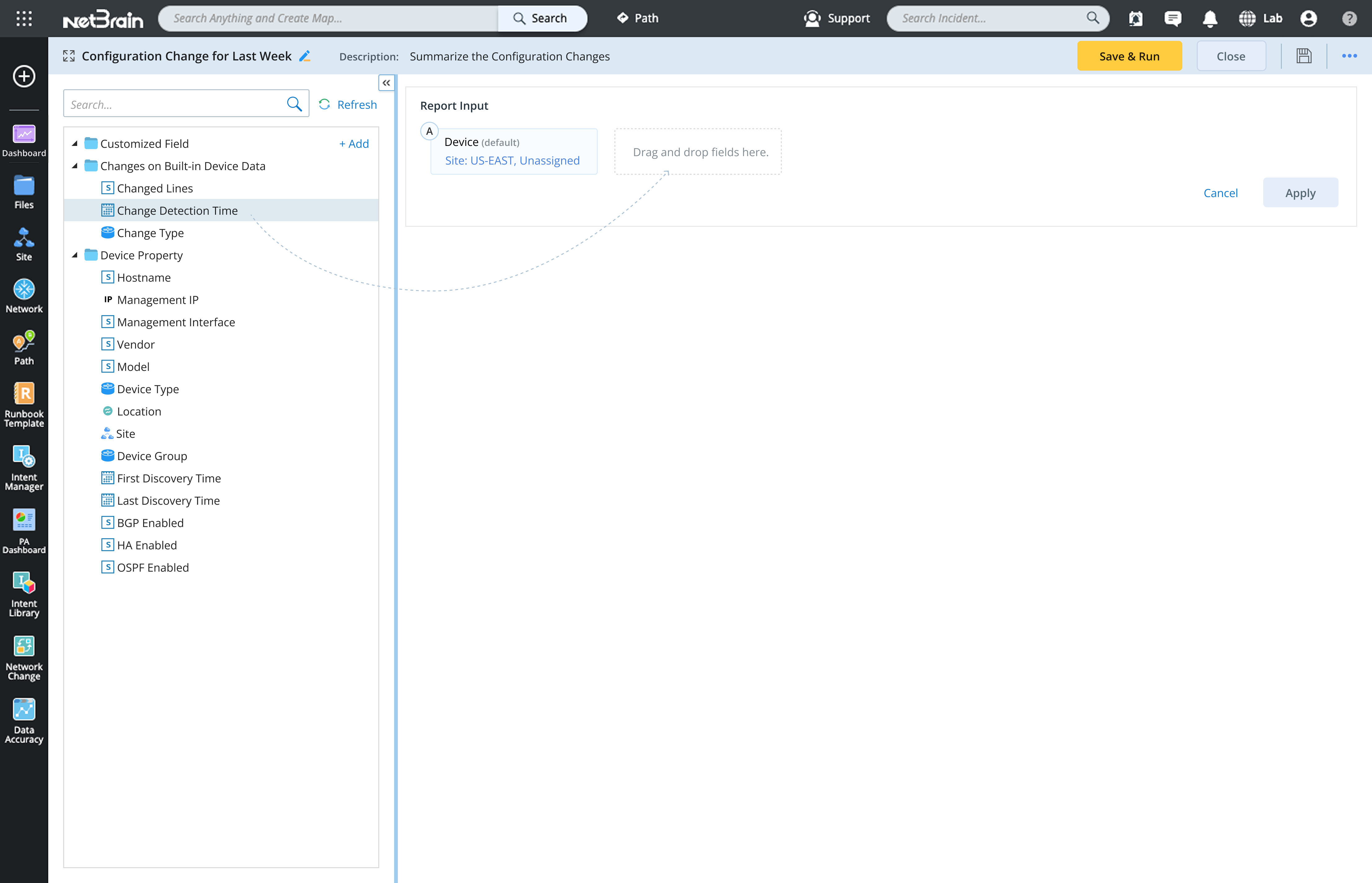
2022
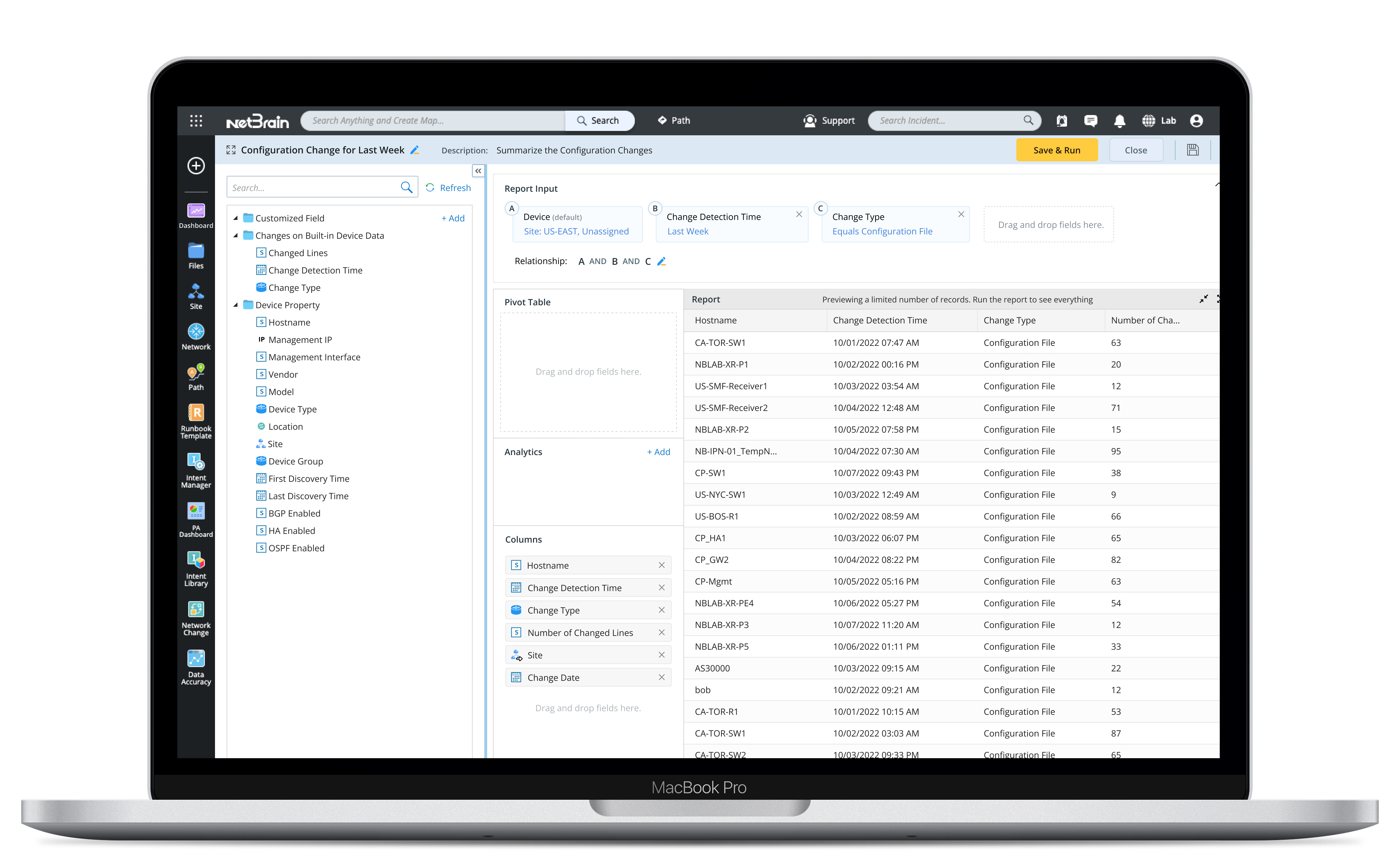
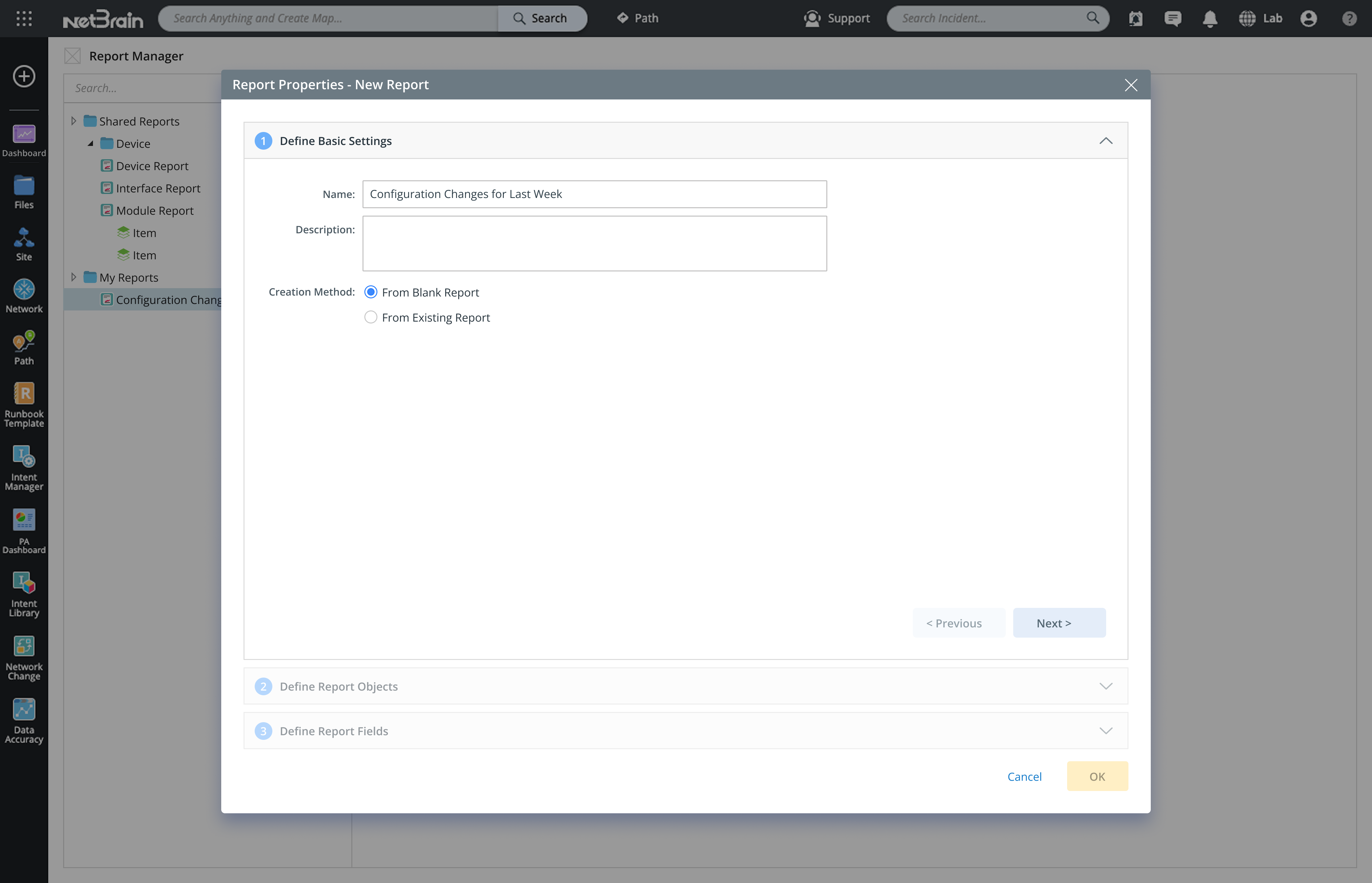
Reports
Mission
As part of TIAA’s major redesign, management wanted to enhance the customer experience of the desktop trading app, especially for less experienced senior customers.
Challenges
Similar to the mobile trading app, the desktop trading platform was powerful but difficult for less experienced senior customers to use. Many struggled to fill out the forms—especially when placing multiple orders, such as selling an investment and then using the funds to buy another.
My Contributions
To stay consistent with the mobile trading app, I redesigned the desktop app using a Q&A approach that guides users step by step through the process. It takes into account the investments they already hold and the actions they want to take, while also considering their investment objectives and risk tolerance.
Impact
The new desktop trading app was well received by customers. They found the step-by-step guidance extremely helpful and said it made their decisions easier along the way. Users were able to complete their tasks without any issues.
Select sell transaction
Users can choose either a Buy or Sell transaction.
Select investment to sell
After selecting a sell transaction, users can then choose which investment in their account they want to sell.
Add sell order
After entering the sell order details, the order is added. The app then shows users how much cash will be available and whether they are overweight in any asset allocation categories.
From there, users can choose to place the order immediately, buy another investment, or sell an additional holding.
From there, users can choose to place the order immediately, buy another investment, or sell an additional holding.
select investment to buy
Users can then select another investment to buy, enter the order details, and continue.
Place orders
After adding both the sell and buy orders, users can choose to place the orders.