


Financial Services
2014 - 2015
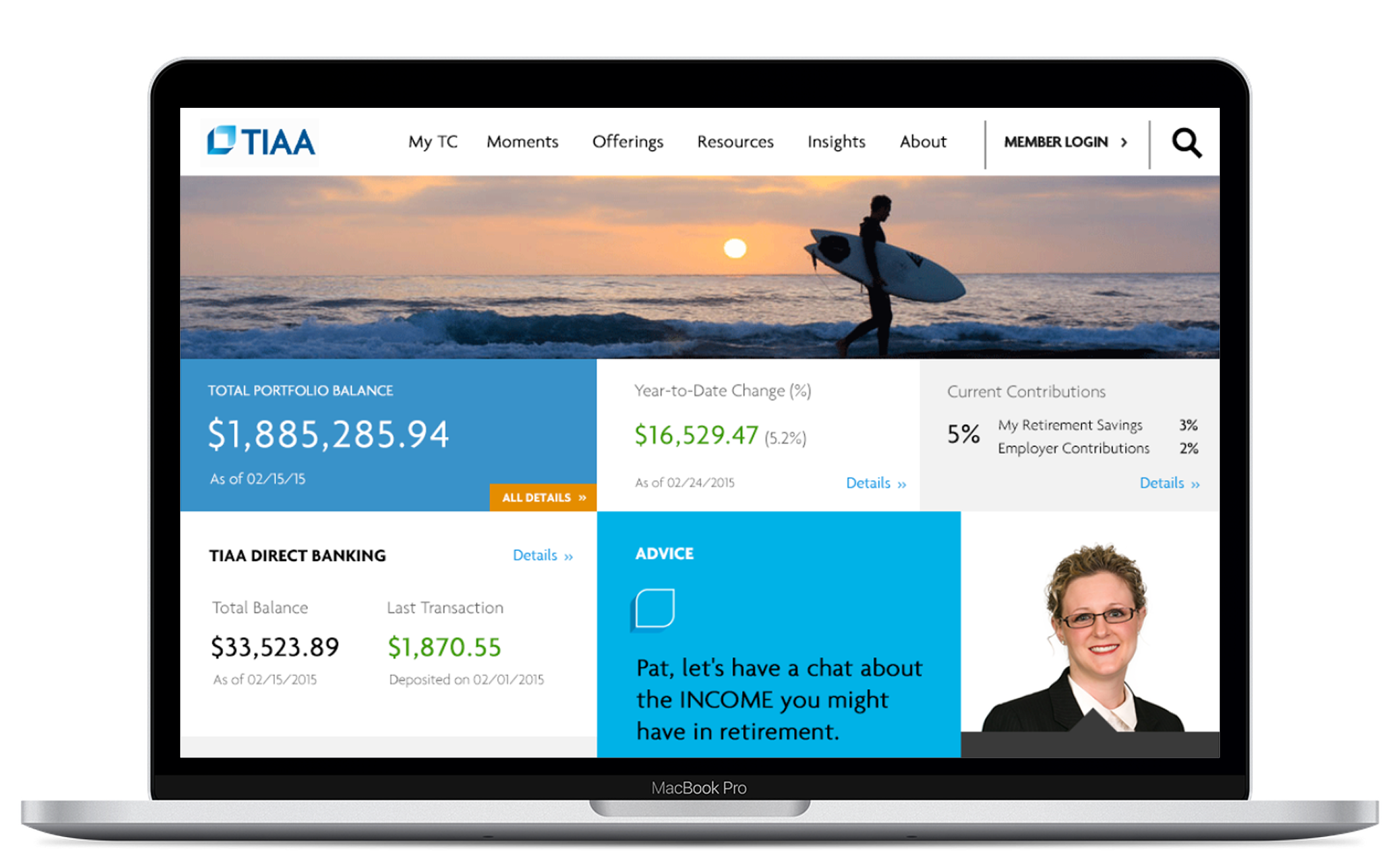
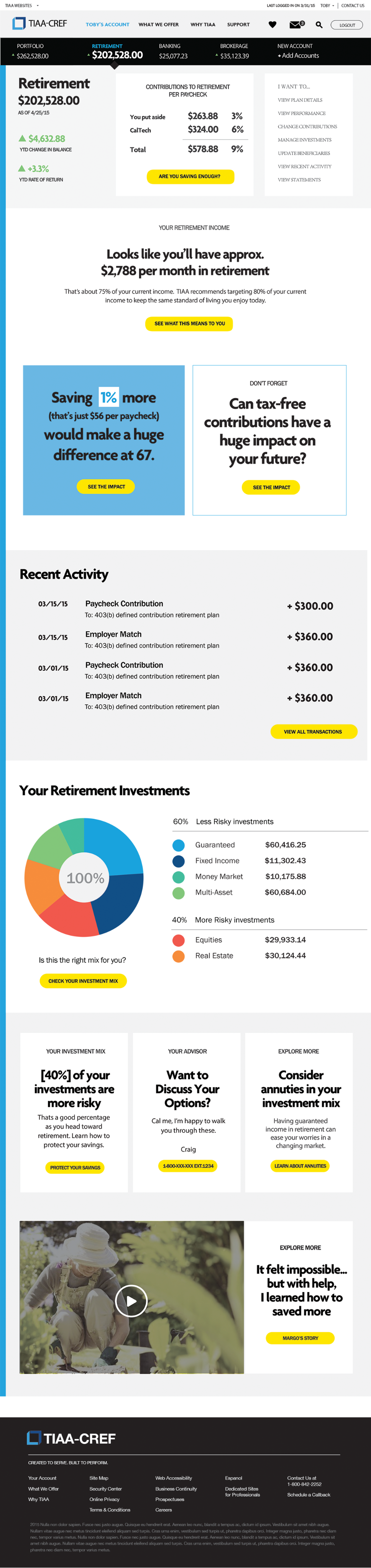
In 2014, TIAA undertook a major website redesign to enhance the customer investment experience while modernizing the site’s look and feel. It was both an exciting and challenging mission. I partnered with TIAA’s design team to explore multiple design directions and ultimately create a suite of desktop and mobile applications with intuitive guidance to help users complete key investment tasks with ease.
Portfolio
Coming Soon
2014

Portfolio
Mission
TIAA wanted to enhance the customer experience of its portal by giving it a modern look and feel and making it easier for investors to access their portfolio holdings, review performance metrics, and manage their account information.
Challenges
The existing portfolio design was too complicated. the information was not well organized, users had to click through too many screens to find what they needed.
My Contributions
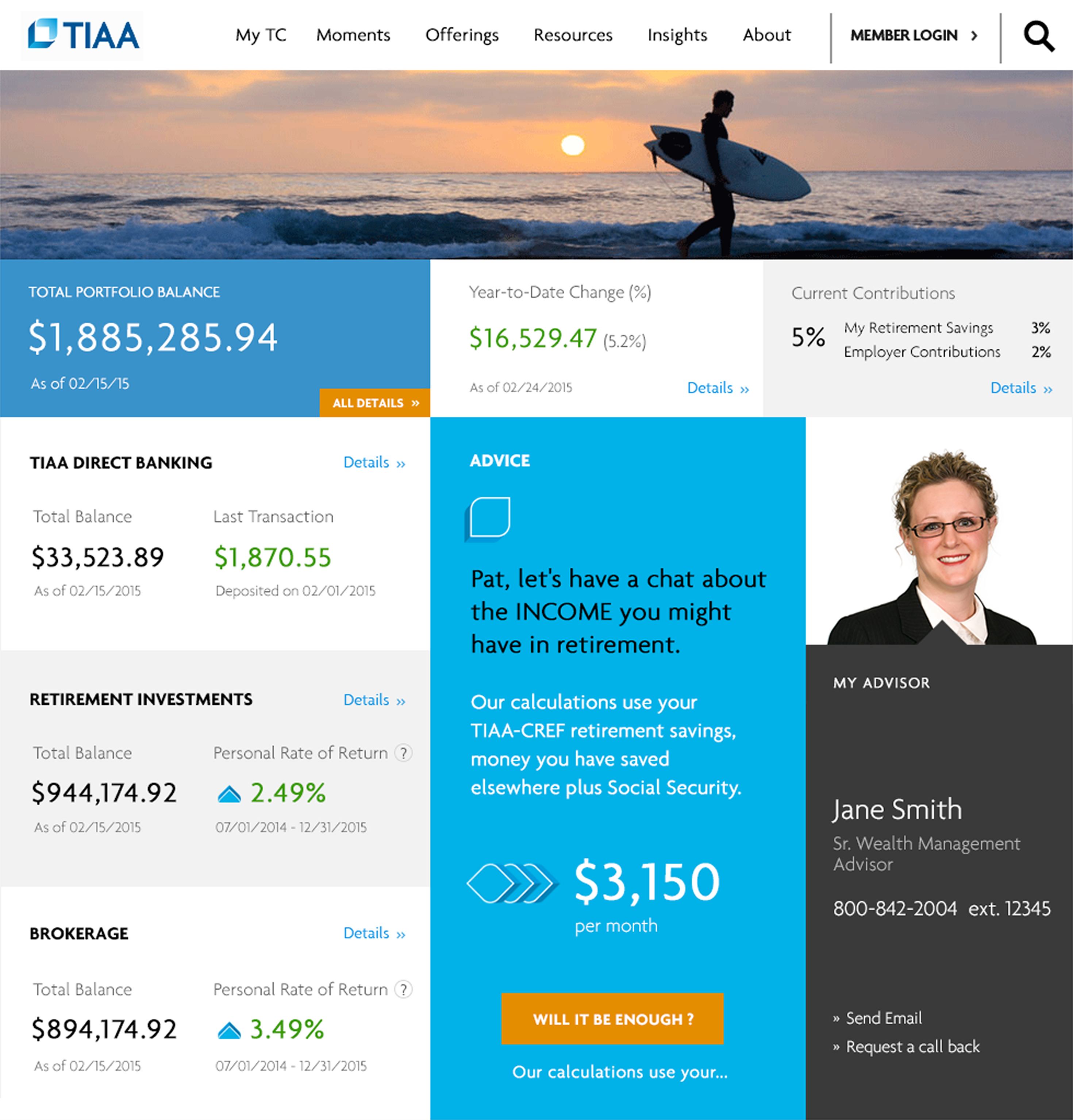
As a Product Designer, I created a modern, streamlined interface with well-organized information that reduced navigation steps and enabled customers to quickly view key snapshots without clicking through multiple pages.
Impact
The design received positive feedback from TIAA’s design team and management, and as a result, I was invited to take on additional projects within the organization.
portfolio summary
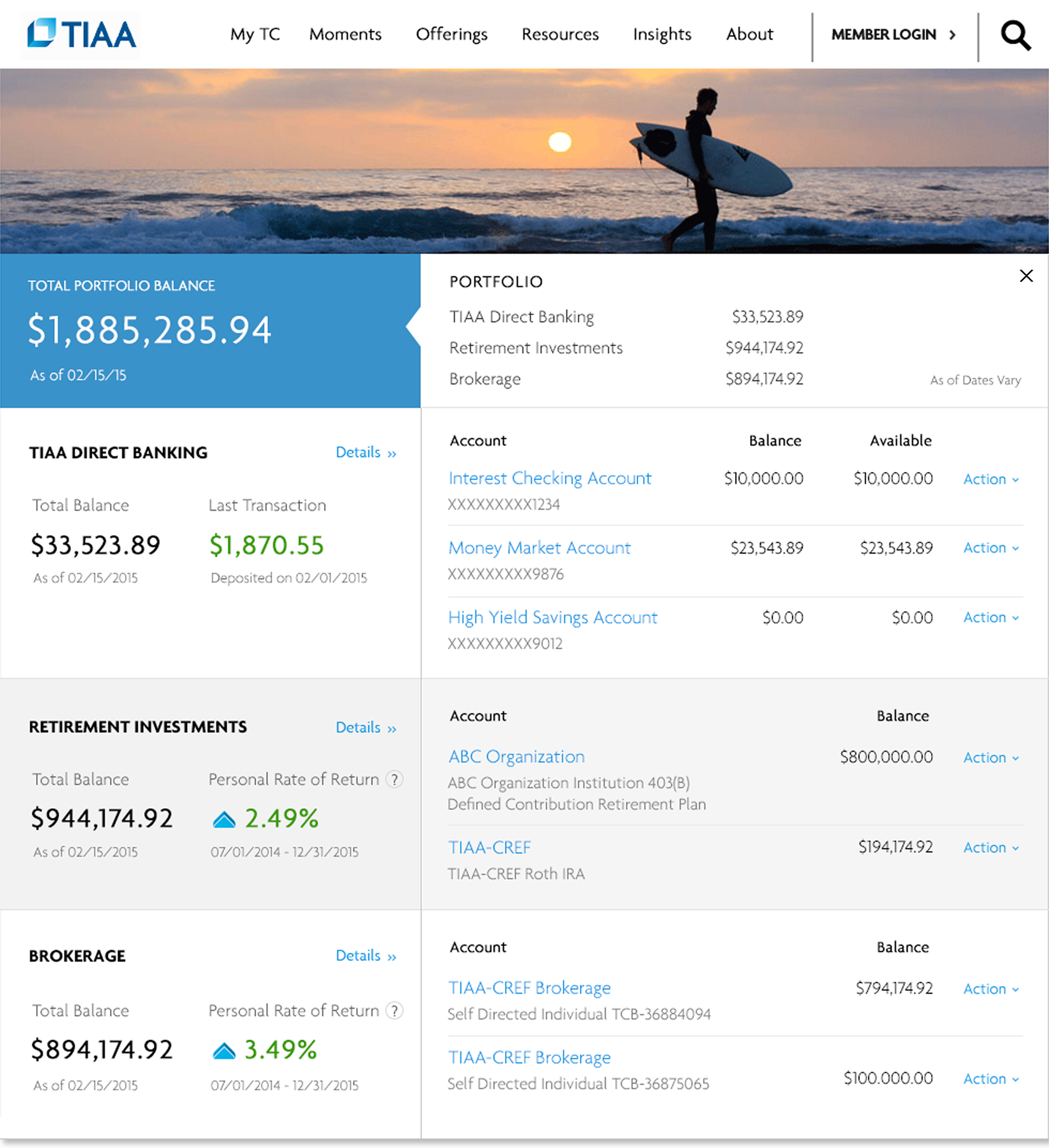
Clicking on “Total Portfolio Balance” displays a snapshot of accounts for each investment type—Direct Banking, Retirement Investment, and Brokerage.
Year-to-date change
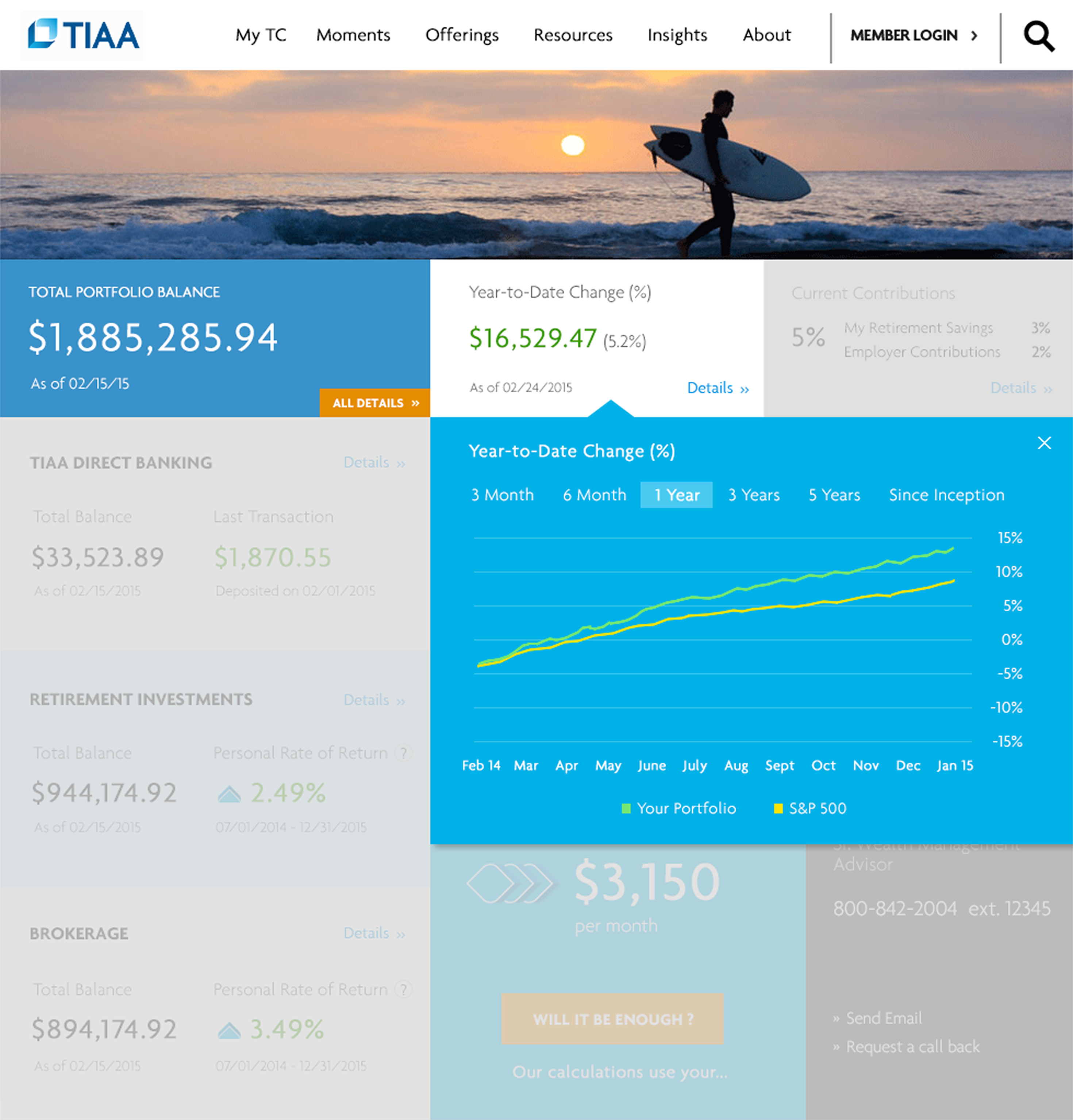
Clicking on “Year-to-Date Change” displays a chart of the portfolio’s year-to-date performance compared to the S&P 500.
Current contributions
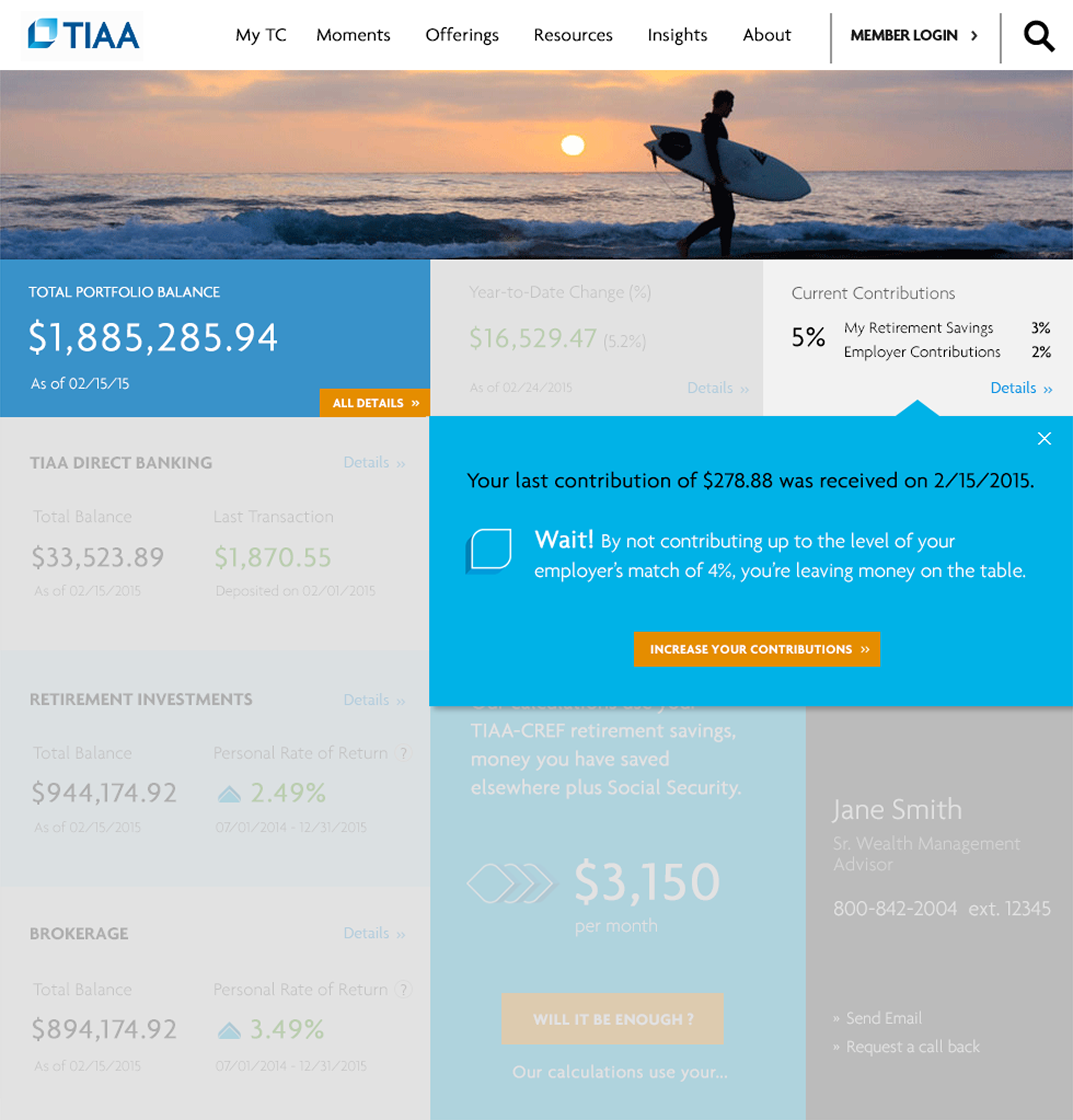
Clicking on Current Contributions displays the most recent retirement contribution and encourages customers to contribute more to take full advantage of their employer’s 4% match.
retirement investments
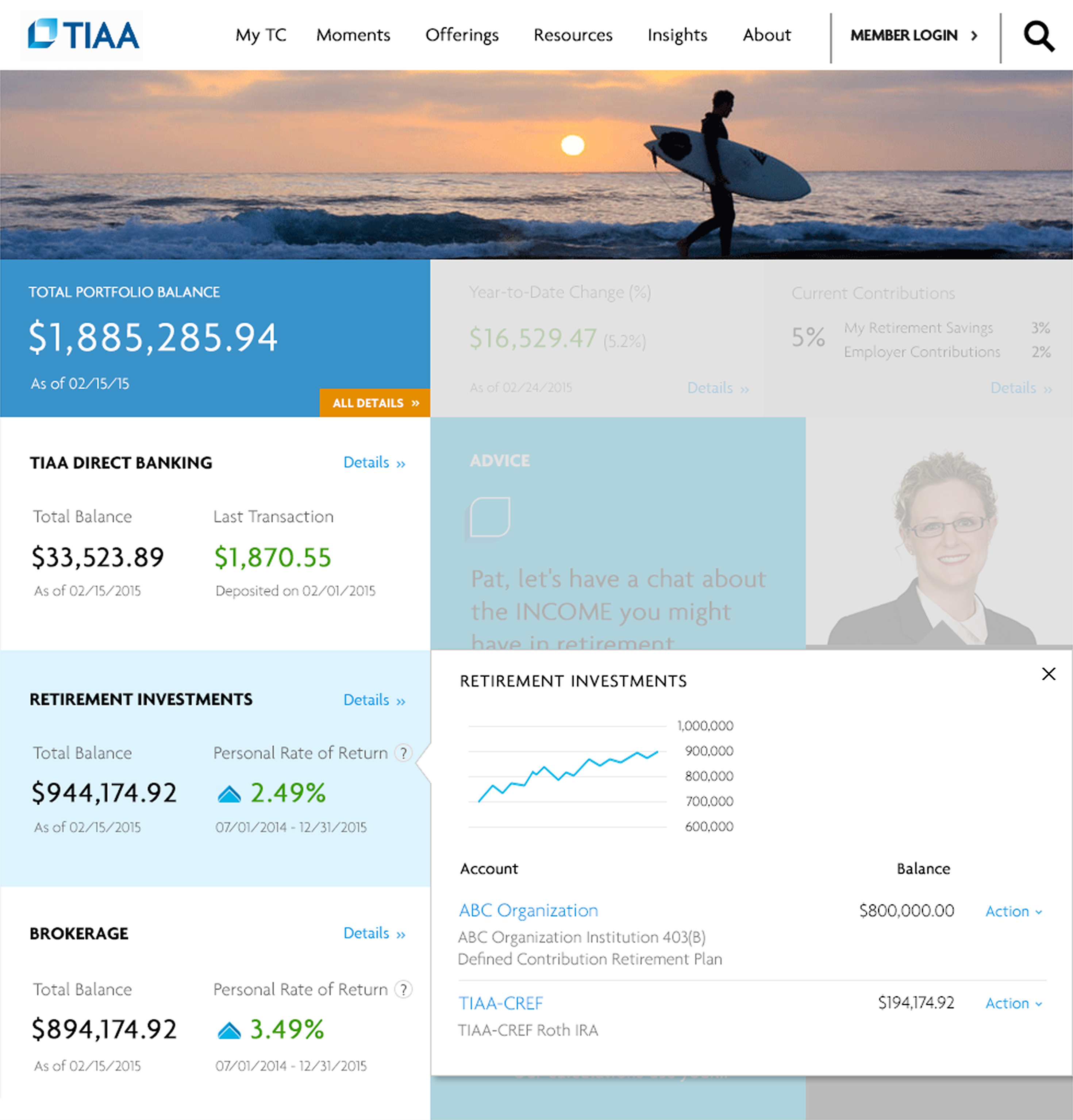
Clicking on “Retirement Investments” displays retirement performance and accounts balances.
Account Details
Coming Soon
2014
Account Details
Mission
TIAA wanted to enhance the customer experience of its portal by giving it a modern look and feel and making it easier for investors to access their portfolio holdings, review performance metrics, and manage their account information.
Challenges
The existing account details design was too complicated. The information wasn’t well organized, and users had to click through too many screens to find what they needed.
My Contributions
As a Product Designer, I applied the same modern, streamlined approach used in the portfolio redesign. This reduced navigation steps and enabled customers to quickly access their account information and view key snapshots without clicking through multiple pages.
Impact
The design received positive feedback from TIAA’s design team and management, and as a result, I was invited to take on additional projects within the organization.
balance history
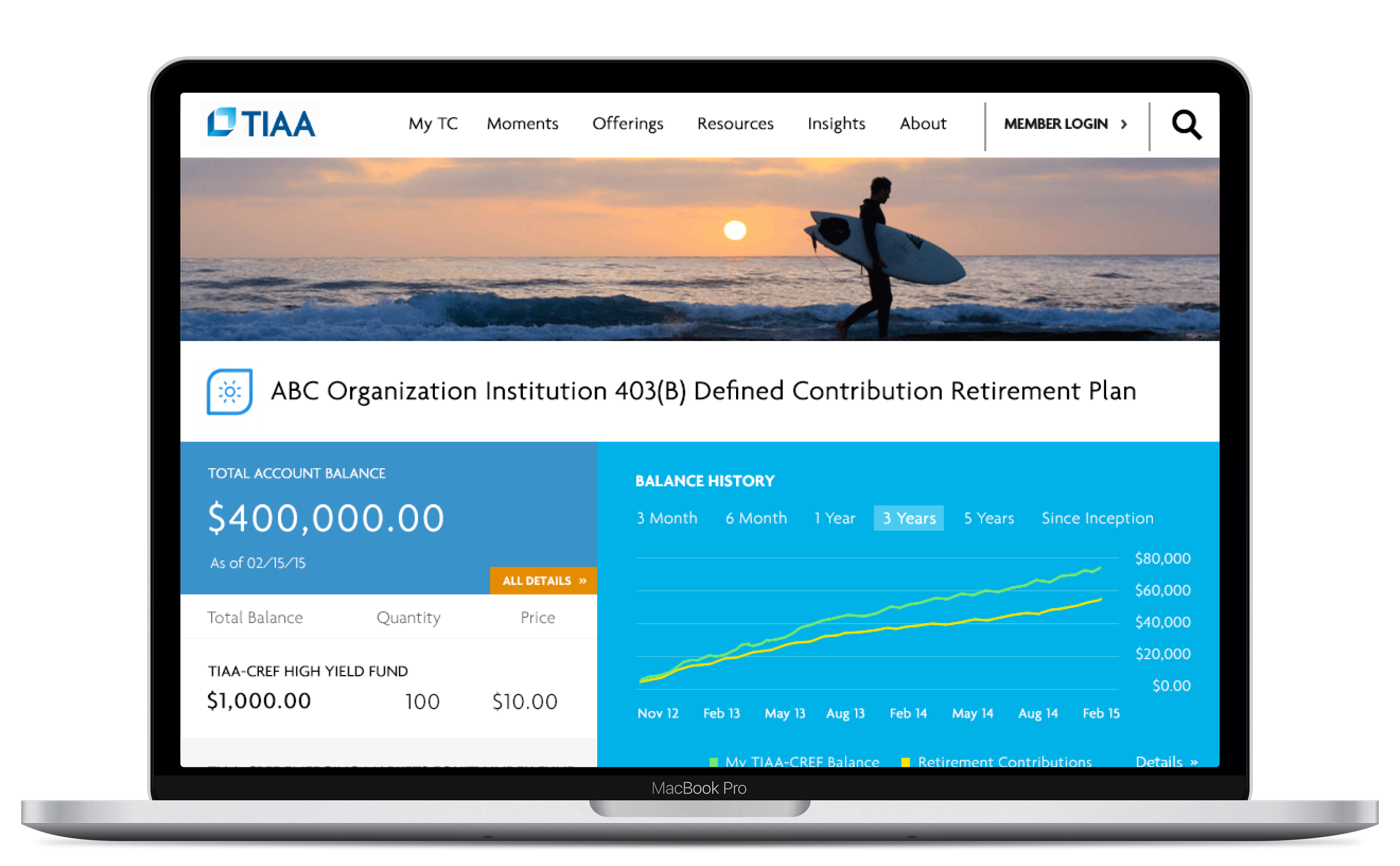
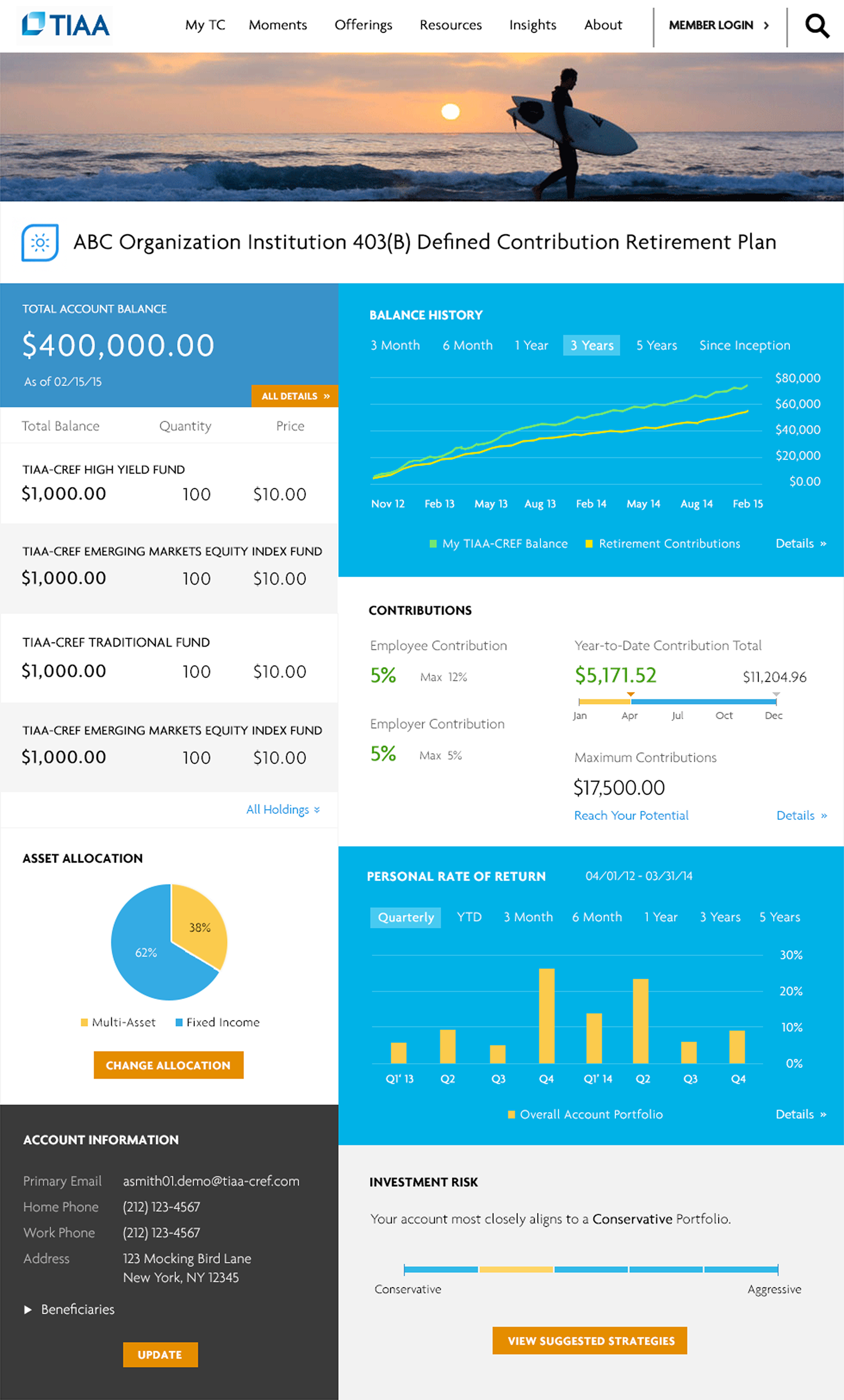
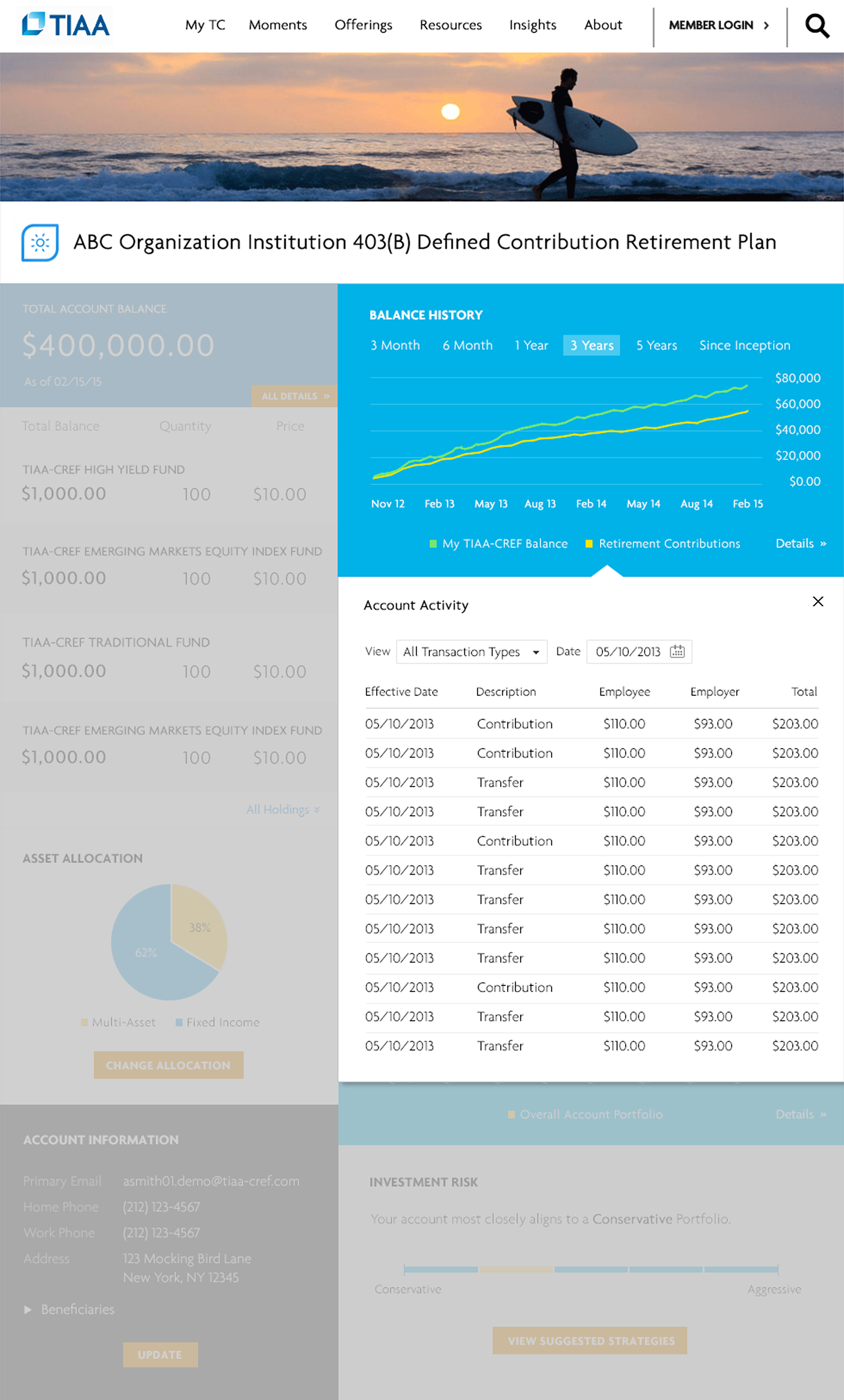
Clicking on Balance History displays the account’s balance history along with detailed transactions. Users can filter the results by transaction type and date.
contributions
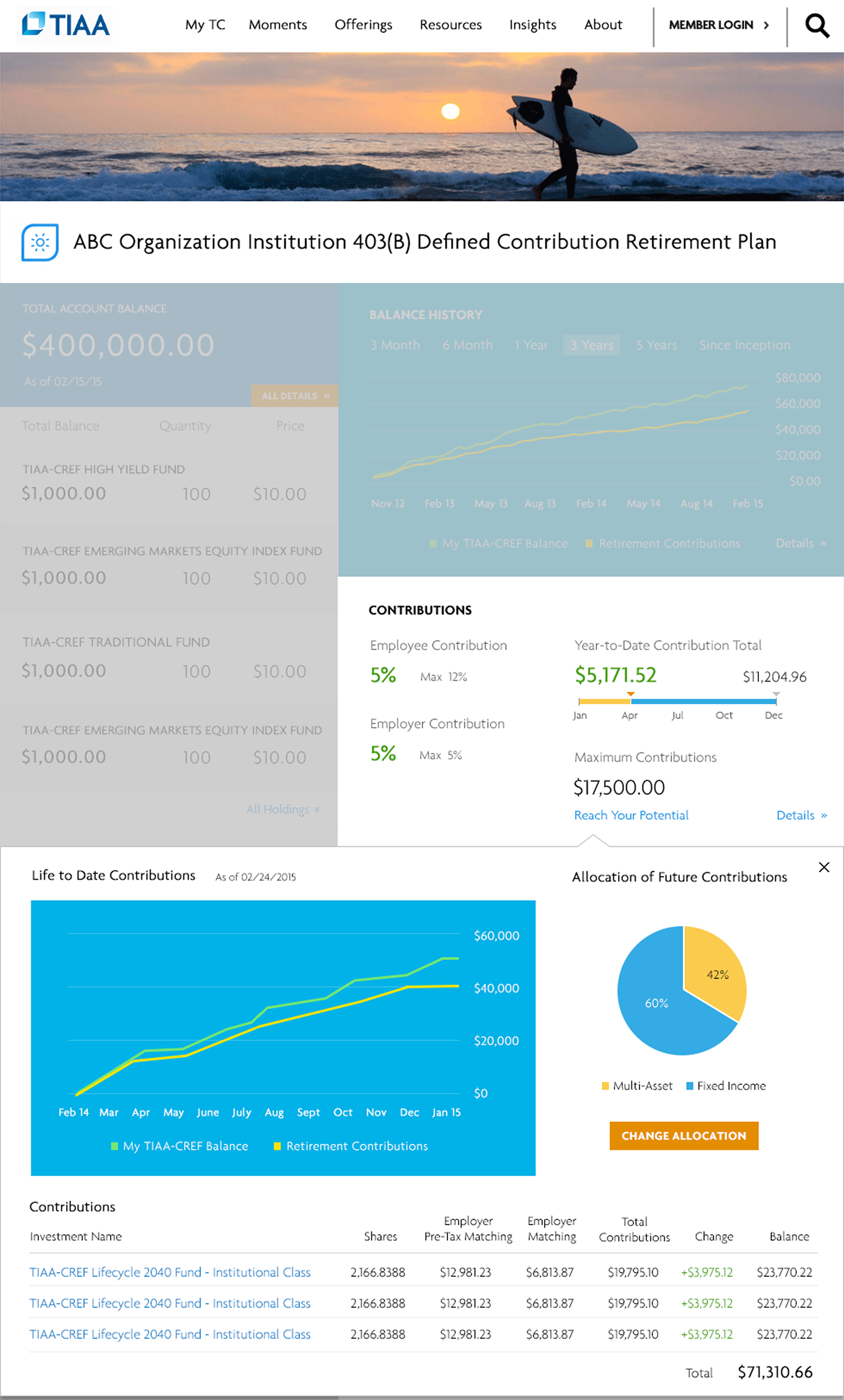
Clicking on Contributions displays the Year-to-Date Contributions chart, along with the asset allocation for future contributions.
Personal Rate of Return
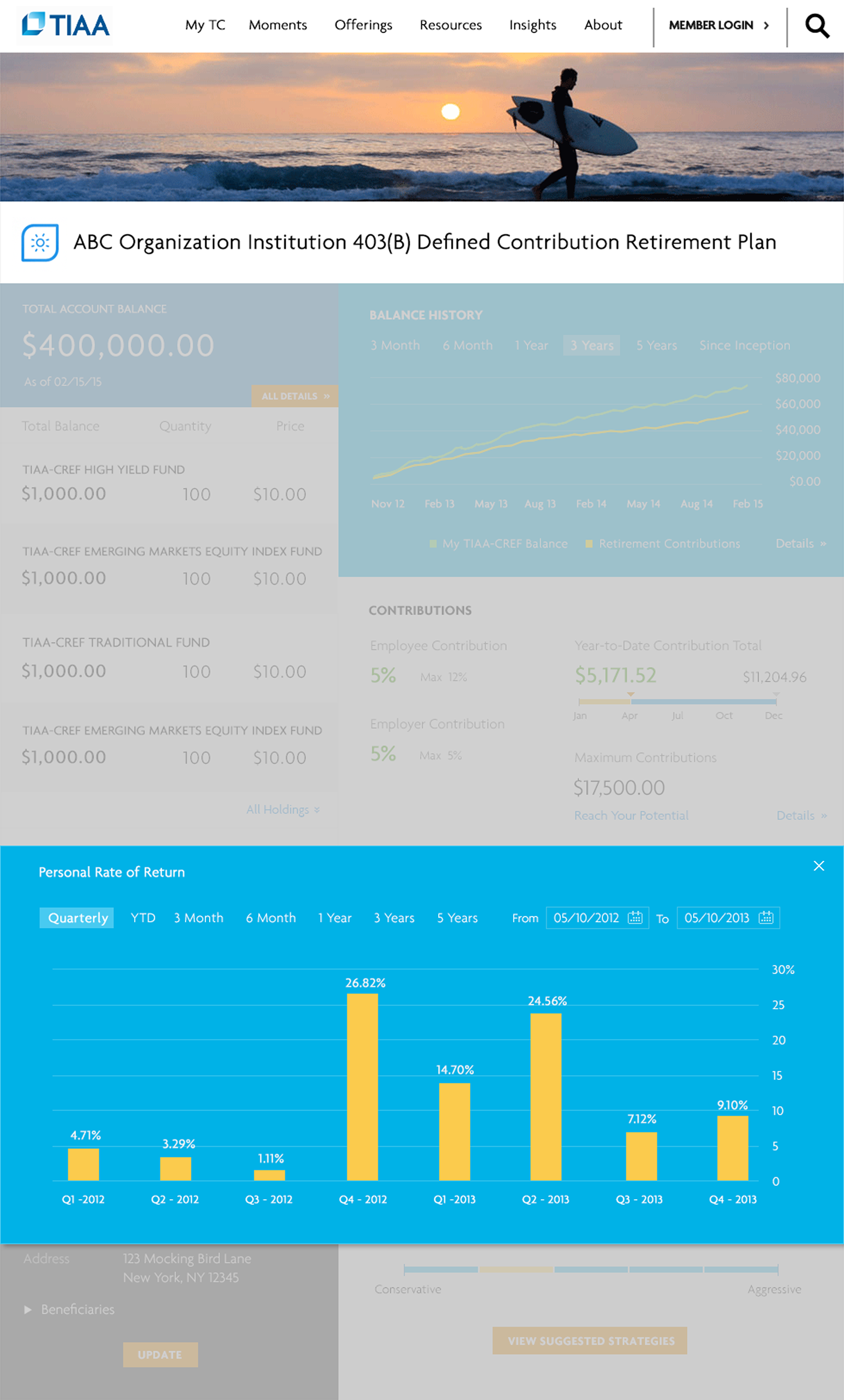
Clicking on Personal Rate of Return displays the advanced performance chart. Users can filter the results by period or by a custom date range.
Investment Details
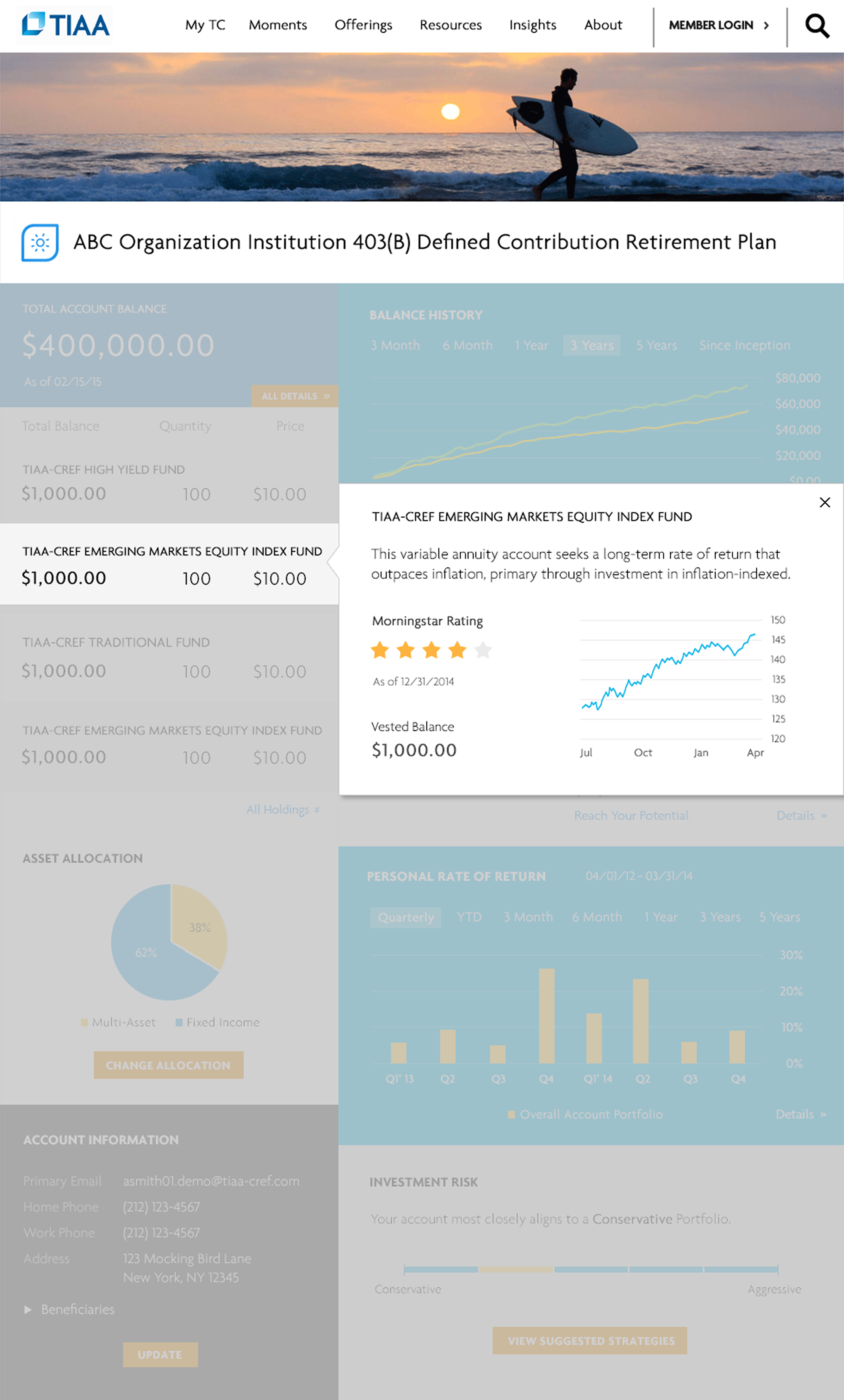
Clicking on an investment displays the investment objective, Morningstar rating, vested balance, and performance chart.
Mobile Trading App
Led the design of TIAA’s intuitive mobile trading app, introducing guided trading workflows that lowered the barrier to entry and helped new investors trade with confidence.
Coming Soon



2014
Mobile Trading App
Mission
As part of TIAA’s major redesign, management wanted to enhance the customer experience of the mobile trading app, especially for less experienced senior customers.
Challenges
The existing mobile app was powerful but difficult for less experienced senior customers to use. Many had trouble filling out the form—especially when they needed to place multiple orders, such as selling an investment and then using the funds to buy another.
My Contributions
I redesigned the app using a Q&A approach that guides users step by step through the process. It takes into account the investments they already hold and the actions they want to take, while also considering their investment objectives and risk tolerance.
Impact
The new mobile trading app was well received by customers. They found the step-by-step guidance extremely helpful and said it made their decisions easier along the way. Users were able to complete their tasks without any issues.
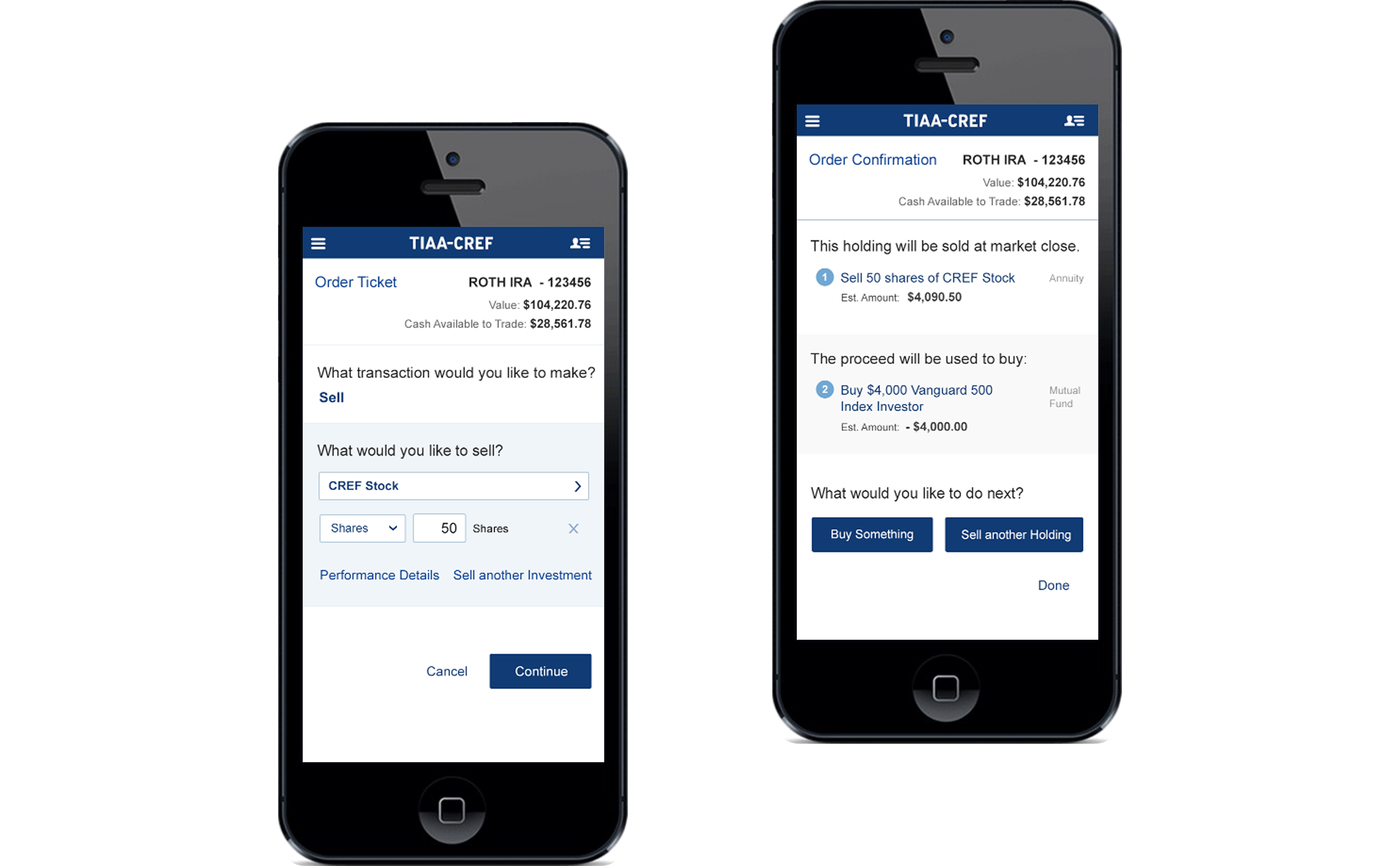
Select investment to sell
After selecting a sell transaction, users can then choose which investment in their account they want to sell.
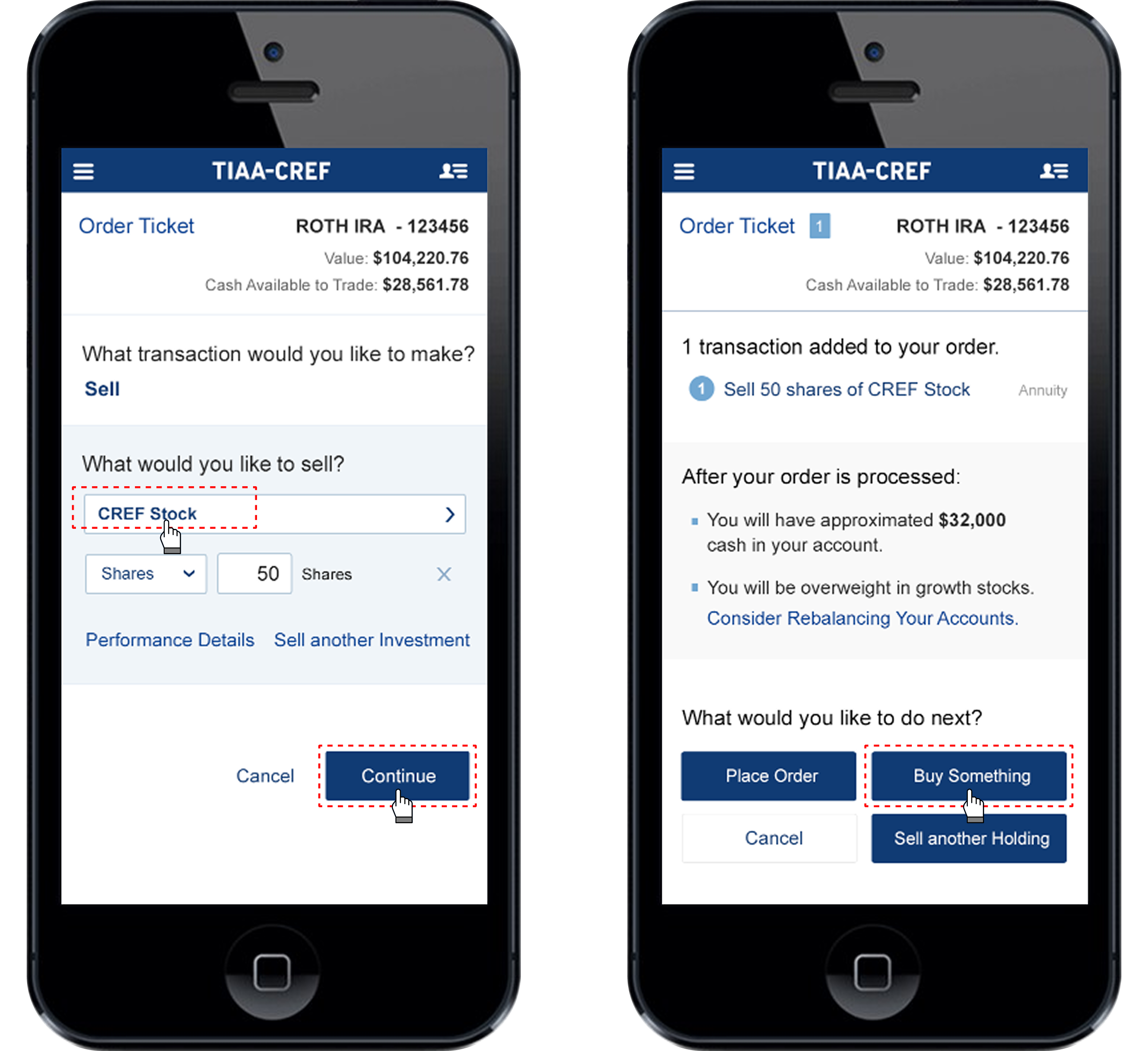
Add sell order
After entering the sell order details, the order is added. The app then shows users how much cash will be available and whether they are overweight in any asset allocation categories.
From there, users can choose to place the order immediately, buy another investment, or sell an additional holding.
From there, users can choose to place the order immediately, buy another investment, or sell an additional holding.
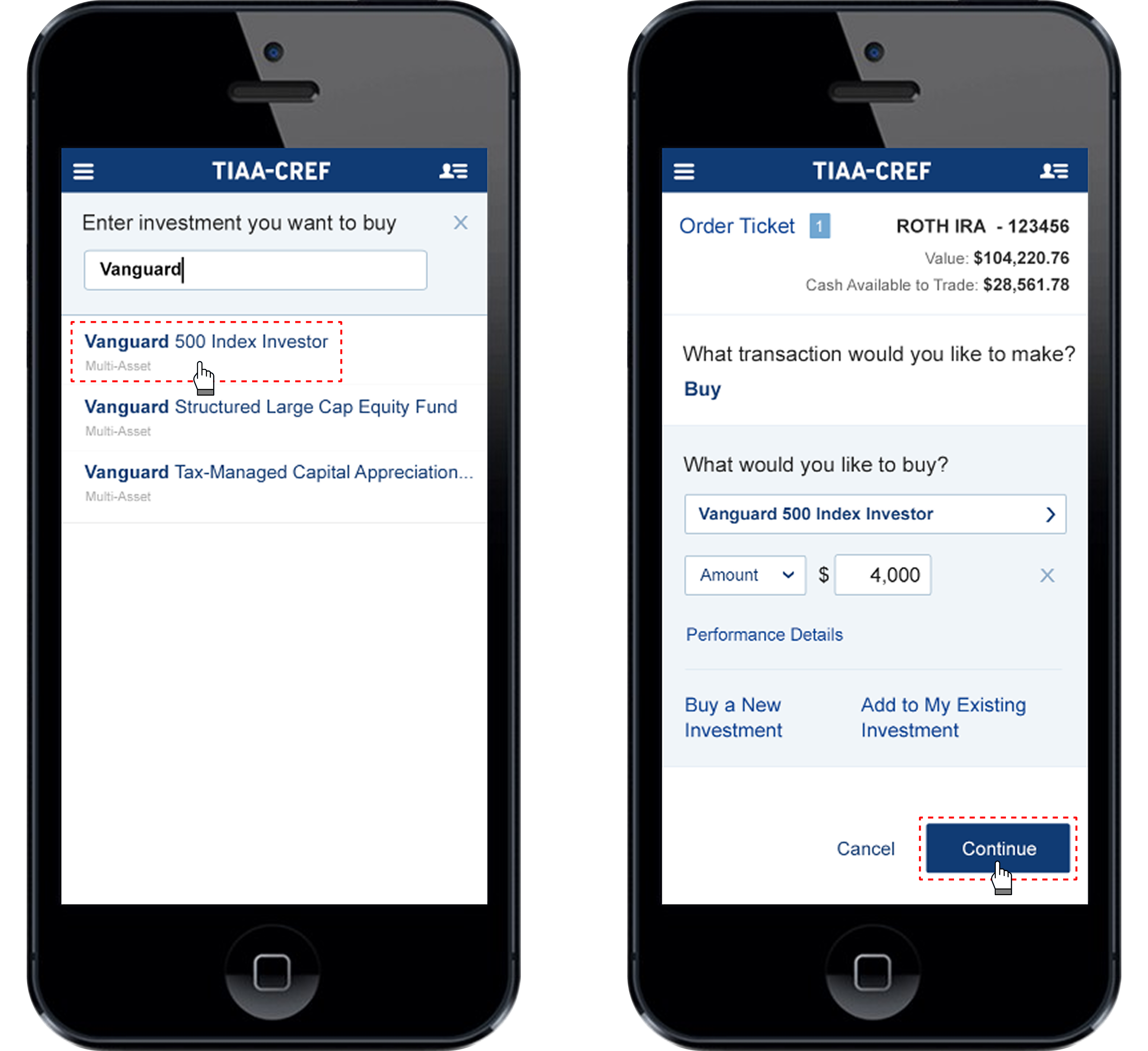
select investment to buy
Users can then select another investment to buy, enter the order details, and continue.
Place orders
After adding both the sell and buy orders, users can choose to place the orders.
Desktop Trading App
2014
Coming Soon

2014
Desktop Trading App
Mission
As part of TIAA’s major redesign, management wanted to enhance the customer experience of the desktop trading app, especially for less experienced senior customers.
Challenges
Similar to the mobile trading app, the desktop trading platform was powerful but difficult for less experienced senior customers to use. Many struggled to fill out the forms—especially when placing multiple orders, such as selling an investment and then using the funds to buy another.
My Contributions
To stay consistent with the mobile trading app, I redesigned the desktop app using a Q&A approach that guides users step by step through the process. It takes into account the investments they already hold and the actions they want to take, while also considering their investment objectives and risk tolerance.
Impact
The new desktop trading app was well received by customers. They found the step-by-step guidance extremely helpful and said it made their decisions easier along the way. Users were able to complete their tasks without any issues.
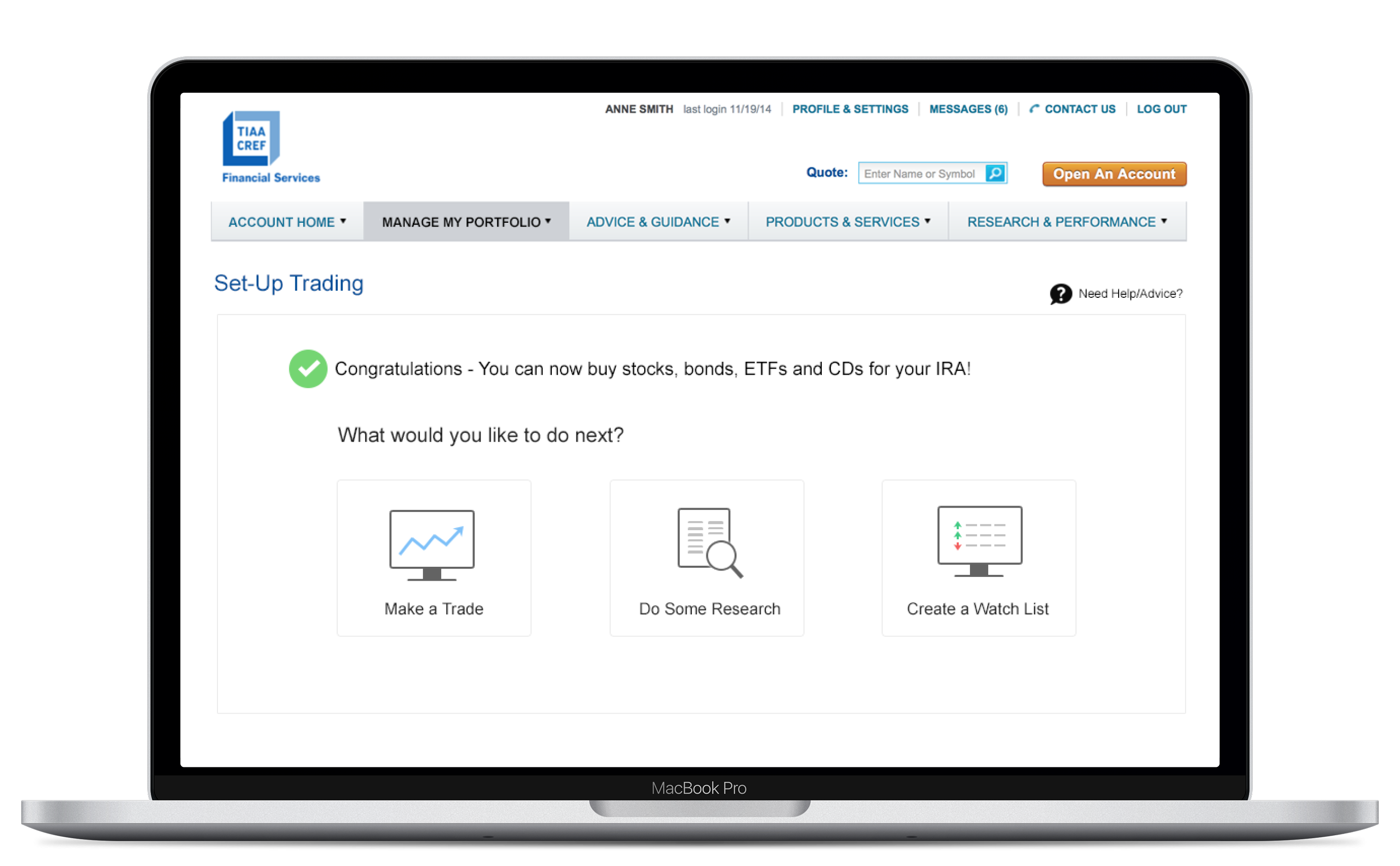
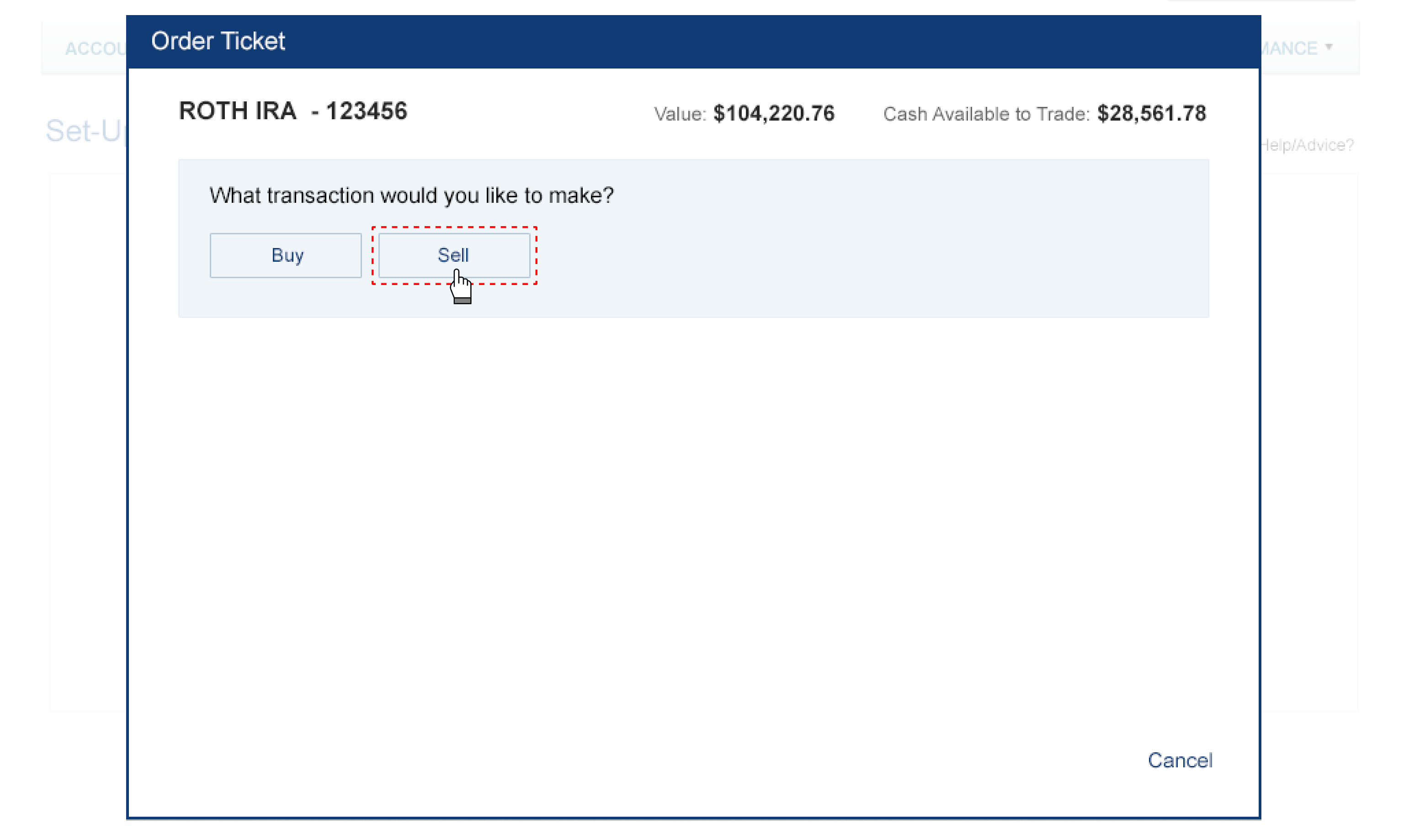
Select sell transaction
Users can choose either a Buy or Sell transaction.
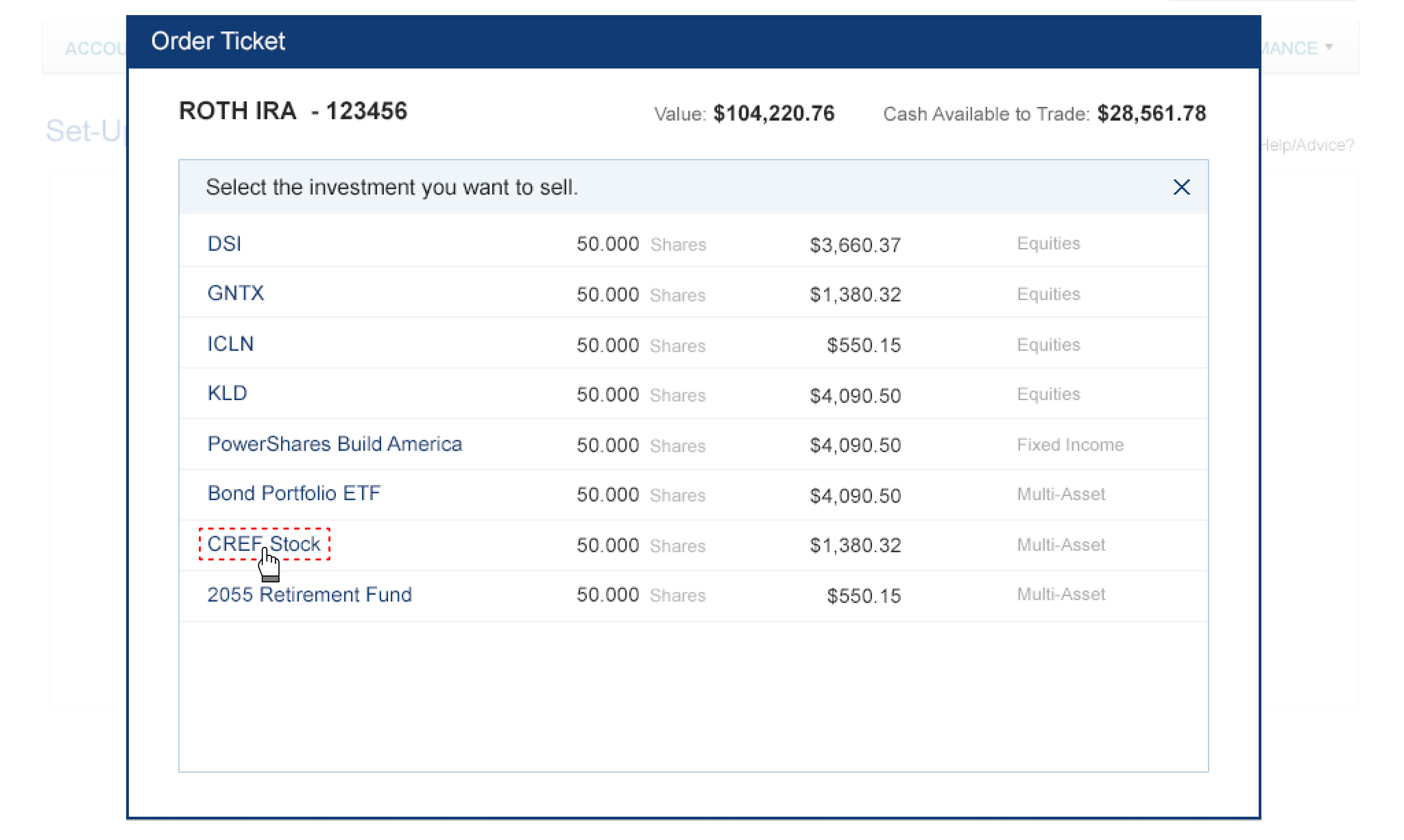
Select investment to sell
After selecting a sell transaction, users can then choose which investment in their account they want to sell.
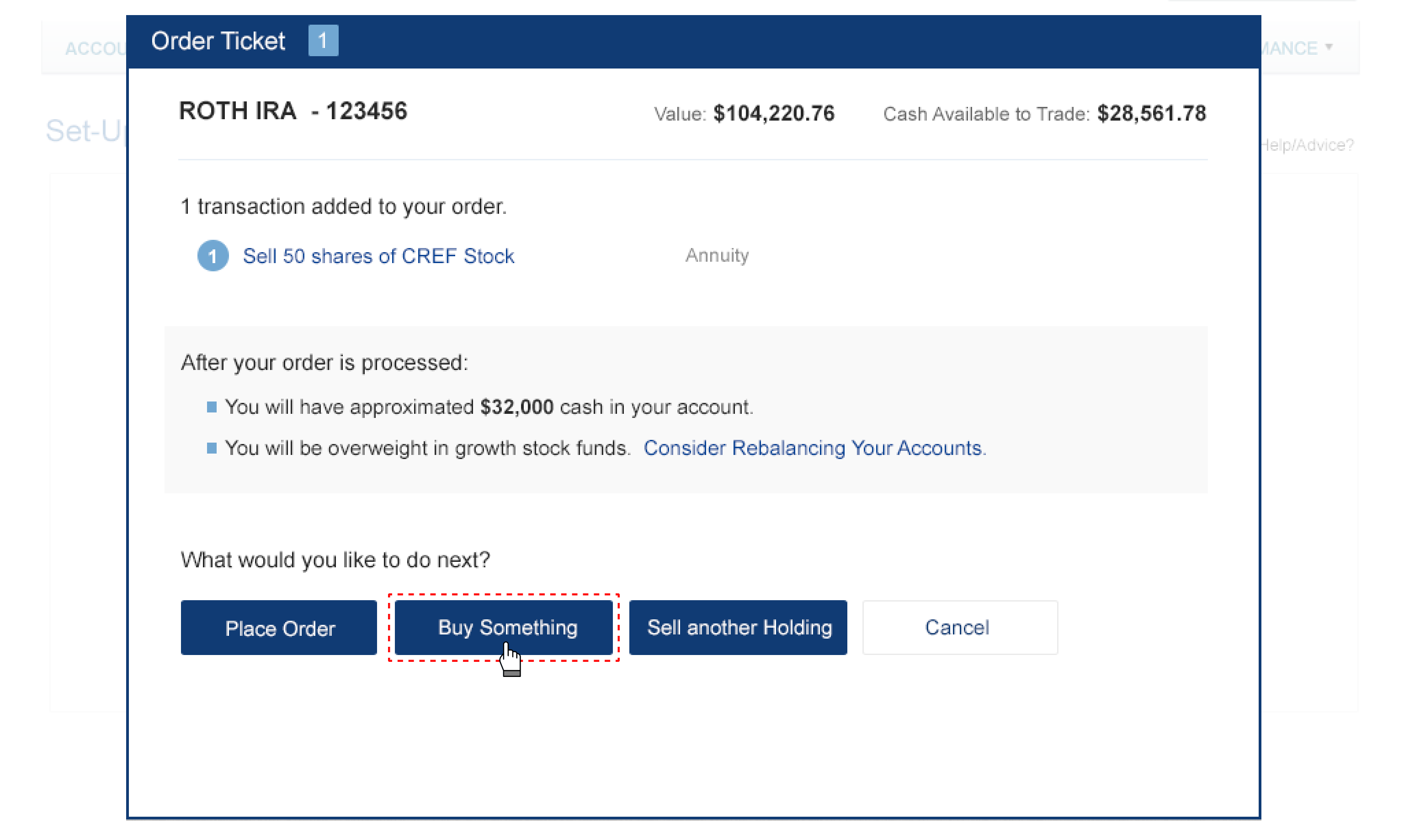
Add sell order
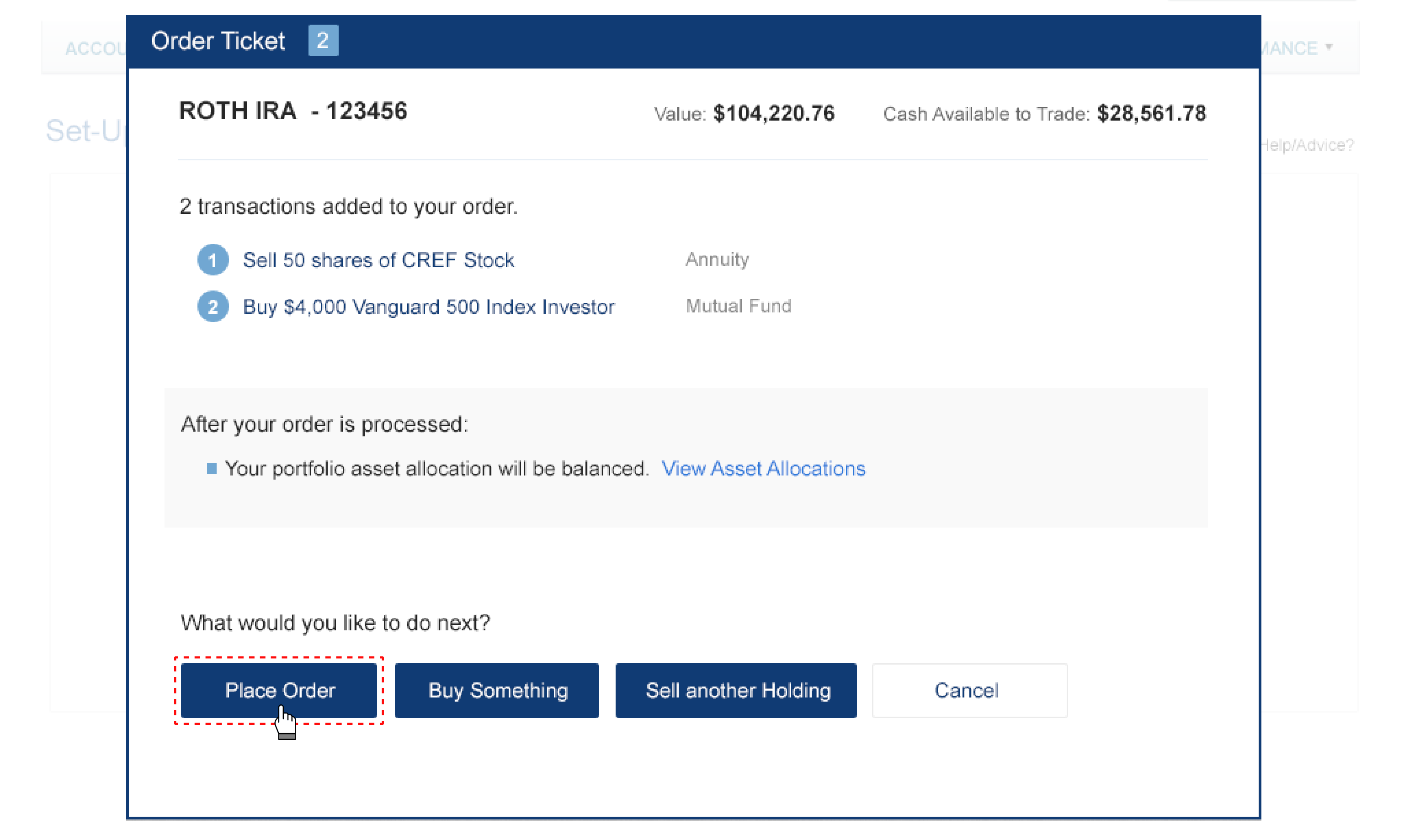
After entering the sell order details, the order is added. The app then shows users how much cash will be available and whether they are overweight in any asset allocation categories.
From there, users can choose to place the order immediately, buy another investment, or sell an additional holding.
From there, users can choose to place the order immediately, buy another investment, or sell an additional holding.
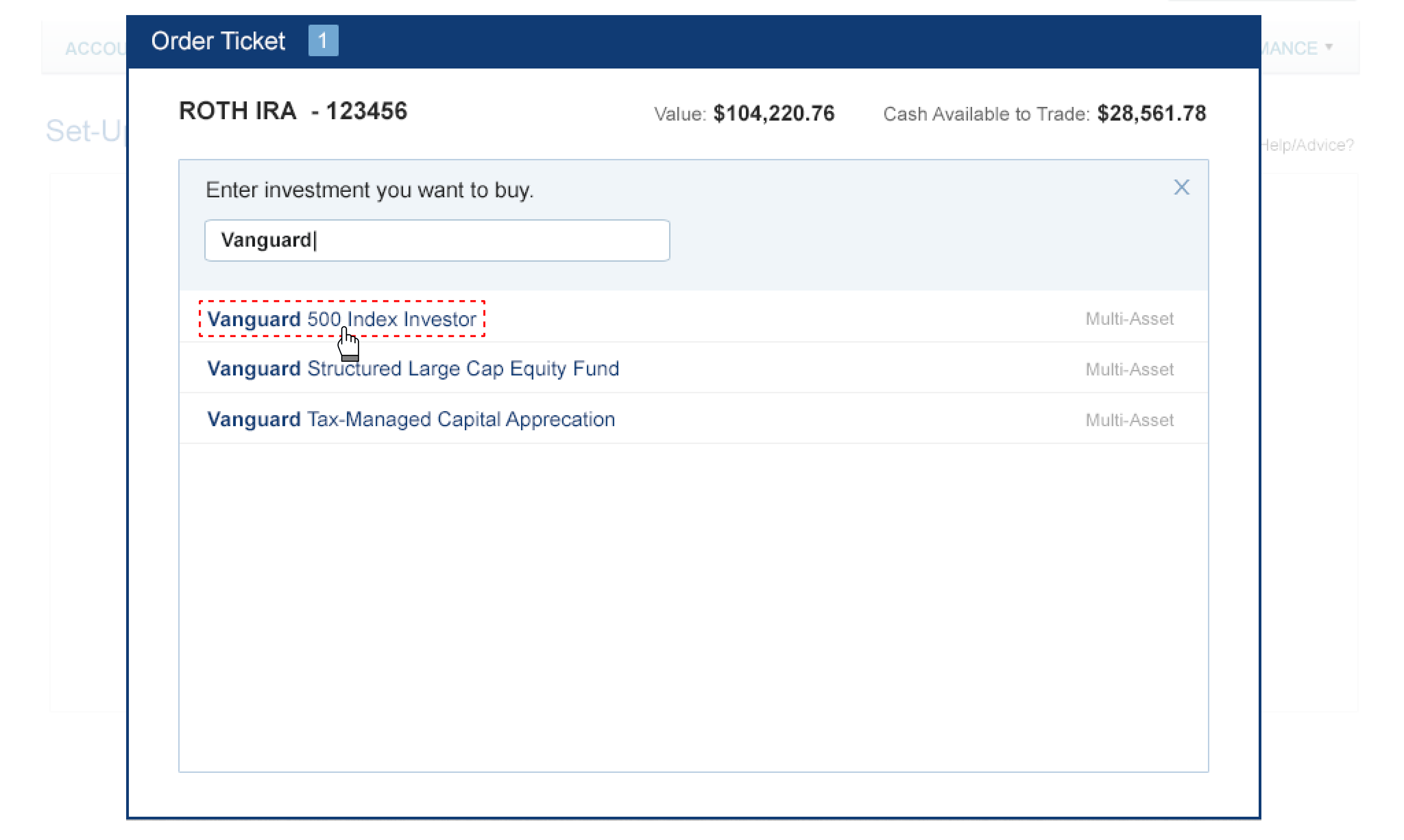
select investment to buy
Users can then select another investment to buy, enter the order details, and continue.
Place orders
After adding both the sell and buy orders, users can choose to place the orders.
Cash Withdrawal Guide
2015
Coming Soon
2015
Cash Withdrawal Guide
Mission
As part of TIAA’s major redesign, management wanted to improve the customer experience for withdrawing money from retirement accounts, especially for less experienced senior customers.
Challenges
There are several options for withdrawing money from retirement accounts, and some come with tax implications or limitations. This often confuses customers, especially less experienced senior customers.
My Contributions
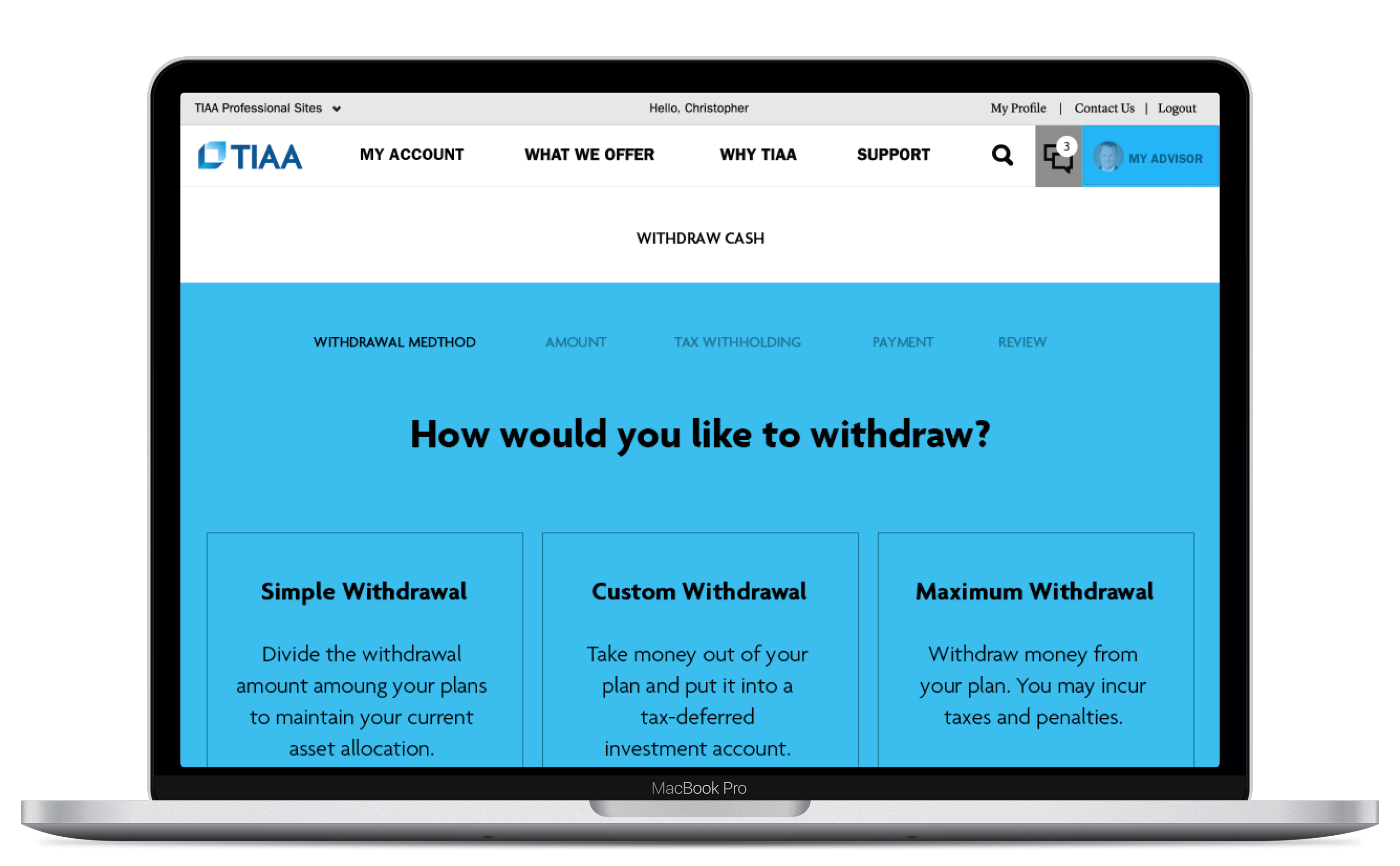
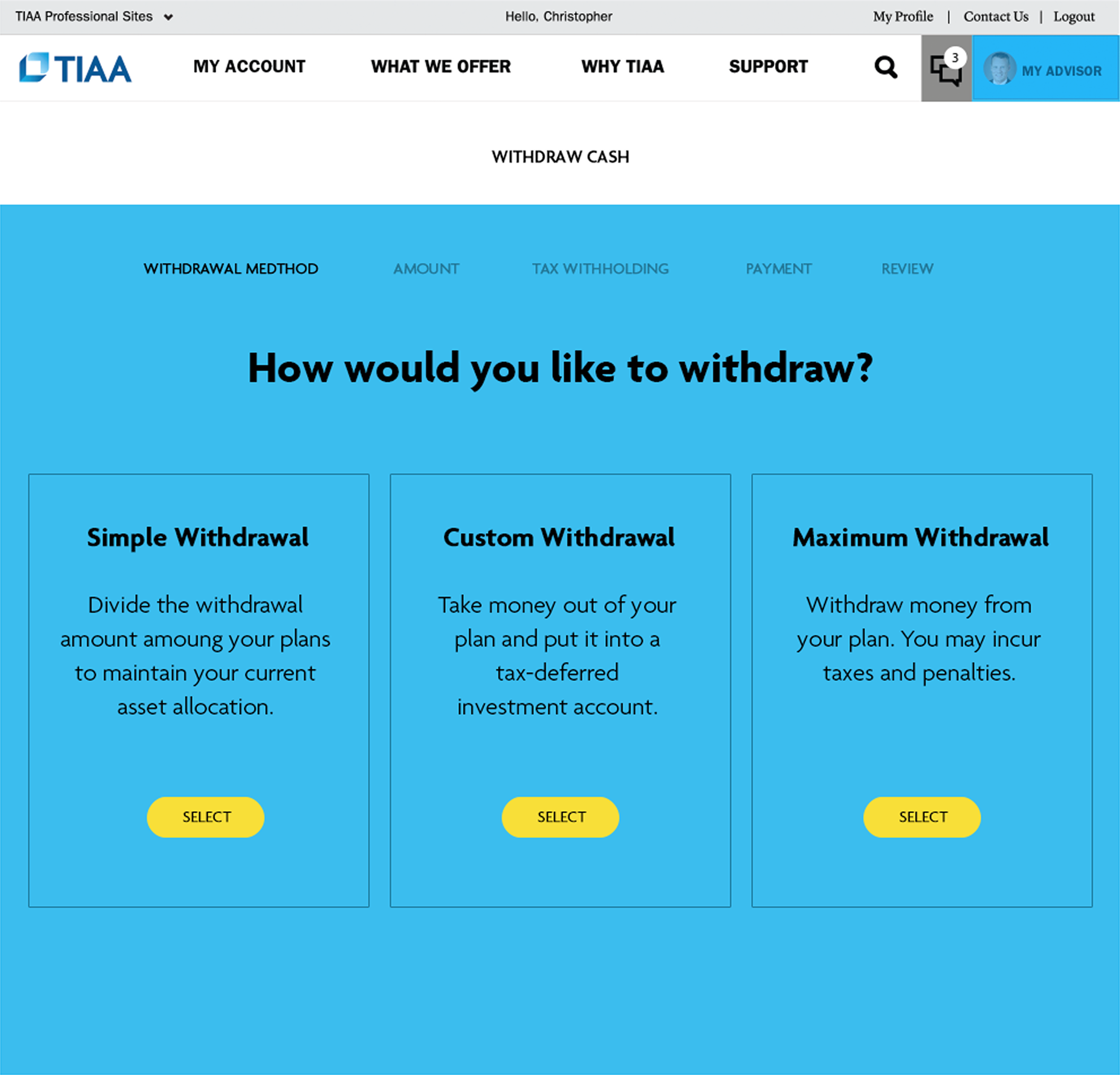
To make things simpler, I designed three guided Q&A flows, each with step-by-step instructions and detailed information about tax implications and the impact on asset allocation:
• Simple Withdrawal
• Custom Withdrawal
• Maximum Withdrawal
• Simple Withdrawal
• Custom Withdrawal
• Maximum Withdrawal
Impact
The new design was well received by customers. They found the step-by-step guidance extremely helpful and said it made their decisions easier along the way.
Retirement Planning
2015
Coming Soon
2015
Retirement Planning
Mission
...
Challenges
...
My Contributions
...
Impact
...
Real Time Transaction Monitoring
2015
Coming Soon
2015
Real Time Transaction Monitoring
Mission
...
Challenges
...
My Contributions
...
Impact
...


